Bidding and budgets
How to change a Target ROAS or Target CPA without breaking a campaign
Reviewed September 2026 · All guides
Change a Target ROAS or Target CPA in steps of no more than about 15 to 20% at a time, which is Google's own rule of thumb, then leave the campaign alone for at least one to two weeks, or two to three conversion cycles, before judging the step or taking the next. Start each step from the target the campaign runs today, not from the figure you want to end on. For a campaign that carries real spend, run the step as a custom experiment so you can see what the new target does against the old one in the same weeks.
The failure this avoids is common: a campaign at 350% ROAS gets a new target of 500% on a Monday, spend falls by half by Wednesday, and someone reverts it on Friday. The campaign has now been through two learning periods and nobody knows what 500% would have done.
Why a big target change breaks a campaign
Smart Bidding sets each bid from a predicted conversion rate and value and the target you gave it. A new target changes which auctions clear the bar. Raise a Target ROAS from 350% to 500% and every auction where the predicted return sits between the two drops out. If that band held 40% of the campaign's volume, 40% of the volume goes with it, in a day.
The bidder then has less fresh data to learn from, because it is entering fewer auctions. Its predictions for the auctions it still enters rest on older data. That is why a large tightening often overshoots: spend falls further than the efficiency gain would justify, and the campaign takes longer to settle.
Loosening a target has the mirror problem. Drop a Target CPA from EUR 60 to EUR 90 and the campaign starts bidding into auctions it never entered before, where it has no conversion history of its own. Spend rises before the conversions show up, and the first two weeks read as a failure even when the step is sound.
How big a step to take
Google's guidance is to change targets gradually and to keep them within about 15 to 20% of the historical average; most practitioners work to 10 to 20% per step. Treat it as a rule of thumb. A campaign with 500 conversions a month absorbs a 20% step with less noise than one with 40.
- High volume (several hundred conversions a month): 15 to 20% per step is usually fine.
- Moderate volume (50 to 200 a month): 10 to 15% per step, with the longer wait between steps.
- Low volume (under about 50 a month): 10% or less, or pool the campaign into a portfolio strategy first so the target rests on more data.
- Seasonal peaks: do not change the target in the week before or during a sale. Use a seasonality adjustment for short events of a few days, which tells the bidder to expect a conversion-rate change without moving the target.
Count the step from the live target. If a colleague already moved the target last week, a -15% step from the old figure is a different change from the one you planned.
Learning status and conversion lag
After a target change, check the Status column on the campaign and the bid strategy report. A 'Learning' status means the bidder is recalibrating. Google says the bidder reacts to a new target at once but can take one to two conversion cycles to reach it, and recommends waiting two to three conversion cycles before judging a Target CPA or Target ROAS change; a small step often shows a shorter status, or none. Performance during learning is noisier, so do not read a step while the status says Learning.
Conversion lag is the second clock. Segment conversions by 'Days to conversion' to see how long your conversions take to arrive after the click. If 70% arrive on the day and the rest within three days, a week after the change is enough to read it. If a quarter of conversions arrive after two weeks, which is common for B2B leads imported from a CRM, the last two weeks of any report undercount, and a step judged on them looks worse than it is.
A workable rule, in line with Google's two to three cycles: wait until the learning status clears, then for at least two conversion cycles, where a cycle is the time in which about 90% of your conversions arrive. For most ecommerce accounts that is 10 to 14 days per step. For lead generation with offline conversion imports it can be four weeks.
A worked example in EUR
Say a Search campaign spends EUR 40,000 a month at a 350% ROAS: EUR 140,000 in tracked revenue. The business needs 450% to be profitable after margin. The target today is 350%, and 90% of conversions arrive within six days.
- Step 1: raise the target from 350% to 400%, a 14% step. Expect spend to fall, perhaps to EUR 34,000 to EUR 37,000 a month at the new level, while ROAS rises towards 400%.
- Wait: about a week of learning, then two conversion cycles of six days. Read the step after roughly three weeks, on revenue and on profit after margin, not on ROAS alone.
- Step 2: if ROAS reached about 400% and the drop in revenue is one the business accepts, raise to 450%, a 12.5% step. If the revenue lost outweighs the ROAS gained, hold at 400% and look for efficiency elsewhere first.
- Wait again, the same three weeks.
- Stop at 450%, or earlier if the volume trade becomes unacceptable. The target is where the business wants it; the next gain has to come from the ads, the landing page or the query mix.
The two-step path takes about six weeks. A single jump from 350% to 450% takes one afternoon to set and often loses more than six weeks to the overshoot and the revert that follows. For levers other than the target, see how to improve ROAS and how to lower CPA without cutting volume.
Test the target change in an experiment
Reading a target step before and after mixes it with everything else that moved in those weeks: a competitor's promotion, a price change, the weather. A custom experiment splits the campaign's traffic between the old target and the new one over the same days, so the difference between the arms is the target.
- Under Campaigns > Experiments, create a custom experiment on the campaign.
- In the treatment arm, change only the target: 350% to 400%, for instance. Leave ads, keywords and budget as they are.
- Split 50/50. Use a search-based split unless you have a reason to prefer a cookie-based one.
- Run until both arms are past learning and have covered two conversion cycles. How long a Google Ads experiment should run covers the arithmetic.
- Compare revenue, conversions and ROAS or CPA across the arms. Apply the treatment only if it wins on the metric the business answers to.
Two cautions. Each arm has half the budget, so a campaign that is already limited by budget will run each arm limited by budget as well, which changes what the target can do; see limited by budget. And an experiment arm with half the conversions takes longer to settle than the whole campaign would, so a low-volume campaign may be better served by a small, direct step than by a test that cannot reach a verdict.
Where GoodLads fits
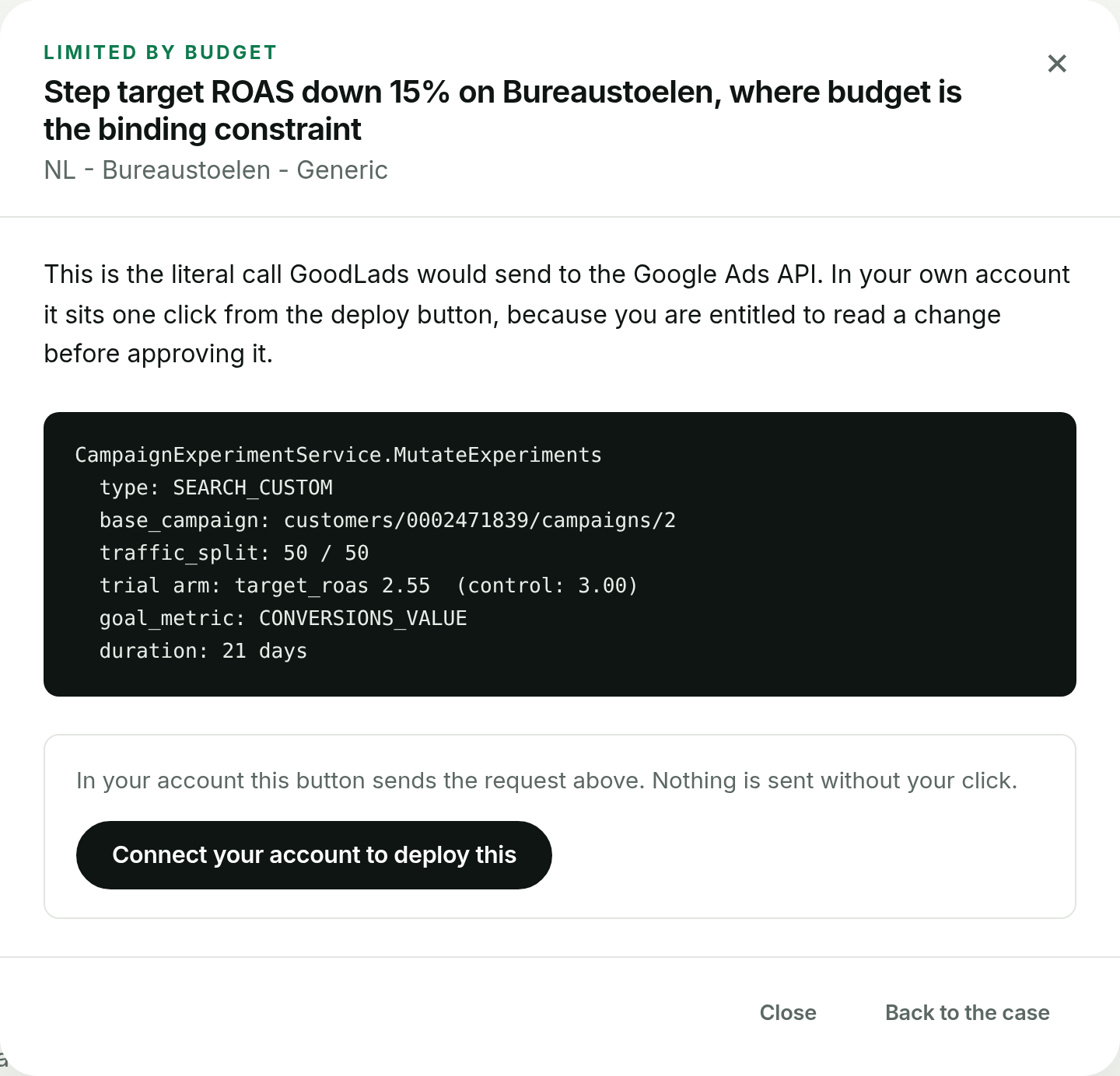
When GoodLads proposes a target change on a Search campaign, it proposes a single conservative step, typically 10 to 20%, delivered as a Google Ads experiment. At apply time it recomputes the step from the target the campaign carries at that moment and refuses if the target moved since the idea was written, so the step on the card is the step that lands. App campaigns cannot run an experiment, so their target step is a live change, marked in orange with a two-step confirm.
It does not run a schedule of target changes for you, and it does not change anything without your click. The worked demo account shows what a target-step card looks like.
Questions people ask
How much should I change Target ROAS at a time?
As a rule of thumb, no more than 15 to 20% per step, and less on low-volume campaigns. Wait for the learning status to clear and for two conversion cycles before the next step.
Does changing Target CPA reset the learning period?
A target change can put the bid strategy into 'Learning'. Google says it can take one to two conversion cycles to reach the new target, and recommends two to three cycles before judging it. Small steps often cause a shorter status or none at all.
Why did my spend drop after raising Target ROAS?
A higher target removes the auctions where predicted return falls below it, so the campaign enters fewer auctions. The bigger the step, the bigger the drop in volume.
Can I test a new Target ROAS before applying it?
Yes. Create a custom experiment under Campaigns > Experiments with only the target changed in the treatment arm, split traffic 50/50, and compare the arms after learning and two conversion cycles.