Wasted spend and audits
How to lower CPA in Google Ads without cutting volume
Reviewed September 2026 · All guides
To lower CPA in Google Ads without losing conversions, remove spend that cannot convert and raise the conversion rate of the spend that can, before you touch the bid target. In order: fix conversion tracking, cut wasted search terms, lower the target CPA in small steps, test ad copy, improve the landing page, trim device, location and schedule segments that convert badly, and restructure only where campaigns are too thin to learn. The first two lower CPA without reducing a single conversion, because the money they remove was buying none.
The lever most people reach for first, dropping the Target CPA from EUR 60 to EUR 45, does lower CPA, and it does it by making Smart Bidding skip the auctions it values least. That cuts volume. Keep it for last and move it in steps.
Why a lower target cuts volume
Smart Bidding bids per auction on the predicted chance of a conversion. A lower Target CPA tells it to bid less, so it wins fewer of the auctions where the predicted conversion rate is middling. Those are the marginal conversions, the ones that cost more than average. Dropping them lowers the average CPA and the number of conversions at the same time.
Say a campaign spends EUR 30,000 a month at a EUR 60 CPA, 500 conversions. Cut the target to EUR 45 in one move and a plausible outcome is a CPA of EUR 50 on 320 conversions and EUR 16,000 of spend: cheaper conversions, 180 fewer of them. If the business makes money on a EUR 60 conversion, that is a loss. The levers below lower CPA by changing what the campaign buys, or how well the page converts, so the conversion count holds.
The levers, in order
1. Fix conversion tracking
CPA is cost divided by conversions, so a tracking error changes it directly. A missing Enhanced conversions setup, Consent Mode v2 not live on EU traffic, or a purchase tag firing only on one checkout path all undercount conversions and inflate CPA. Undercounting also starves Smart Bidding of signal, so it bids on fewer auctions than it should. Double counting does the opposite: CPA looks good while the business pays more per customer. Run the conversion tracking checklist before you optimise against the number.
2. Cut wasted search terms
Search terms that have spent more than your target CPA with zero conversions are cost with no conversions attached. Negating the irrelevant ones removes their cost without removing a conversion, and Smart Bidding moves that budget to terms that convert. The search terms guide has the thresholds and match types.
3. Step the bid target down
Once the waste is gone, lower Target CPA in steps. As a rule of thumb, change it by no more than 10-15% at a time and wait until the bid strategy status leaves 'Learning' and you have seen at least one conversion cycle, often one to two weeks, before the next step. Watch conversions as well as CPA. When a step costs more volume than it saves in CPA, go back one step. The guide to changing targets covers the mechanics, and a Google Ads experiment on the target gives you a controlled read of what the step does.
4. Test ad copy
A higher click-through rate at the same conversion rate leaves CPA where it was. Copy that qualifies the click lowers it: stating the price, the minimum order or who the product is for filters out clicks that would never convert. Test it with a new responsive search ad or an experiment, rather than by editing the live ad, so the result is readable. The RSA testing guide covers the setup.
5. Improve the landing page
Conversion rate is the other half of CPA. At the same cost per click, moving conversion rate from 4% to 5% lowers CPA by 20%. The usual gains: sending each ad group to the page that matches its intent instead of the home page, shortening lead forms, showing price and delivery above the fold, and fixing mobile load time. Test landing pages through a custom experiment with a different final URL, or through your site's own A/B tool.
6. Trim device, location and schedule segments
Segment the campaign by device, by location where people physically were and by hour of day over 90 days. Smart Bidding already adjusts bids by these signals per auction, so look only for segments where CPA stays at twice the average or more for months. The fixes are structural: a -100% device adjustment where a device cannot convert at all, a location exclusion for an area you cannot serve, or a separate campaign with its own target for a region that converts at a different rate. Check the location option while you are there.
7. Consolidate or split account structure
Smart Bidding needs volume per strategy to predict well, as a rule of thumb 30-50 conversions a month. Ten campaigns with 15 conversions each learn worse than two with 75, so consolidating thin campaigns, or grouping them under a portfolio bid strategy, lowers CPA by giving the bidder more data. Split the other way only when two parts of a campaign have different values per conversion, such as a product with twice the margin, and need different targets.
What not to do
- Change several levers in the same week. You will not know which one moved CPA.
- Judge the last seven days when conversion lag is long. Check the 'Days to conversion' segment first.
- Pause a campaign on CPA alone without checking what its conversions are worth. A EUR 90 CPA on a lead worth EUR 400 is a good campaign, and a campaign that is also 'Limited by budget' may deserve a higher budget. See Limited by budget.
- Switch bid strategy type to fix CPA. It restarts learning and replaces a problem you understand with one you do not.
Where GoodLads fits
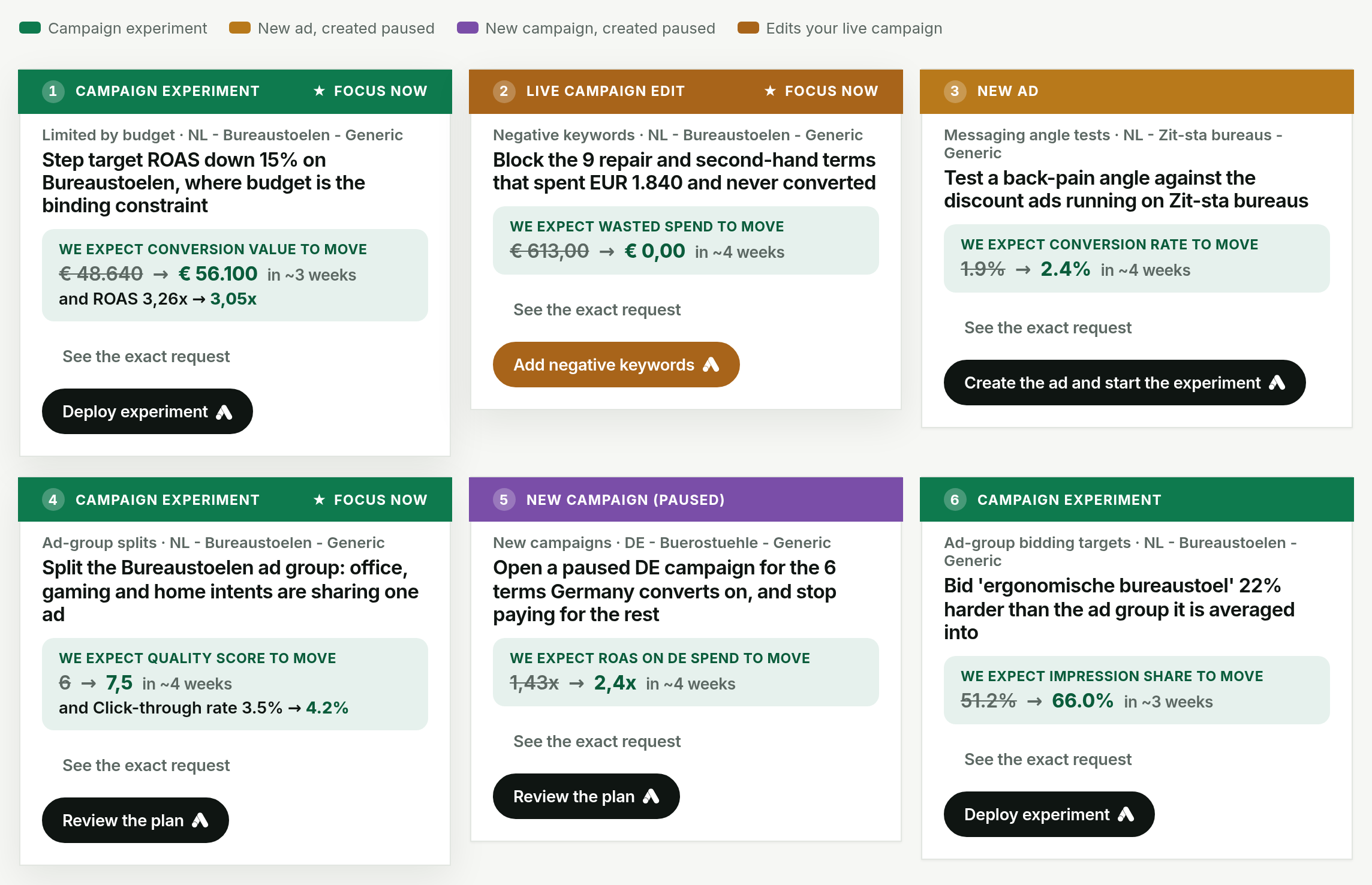
GoodLads writes three recommendations per campaign aimed at the campaign's CPA or ROAS, each naming the figure from your account it is based on. It applies them as a Google Ads experiment where the campaign can run one, as a new paused ad where it cannot, and marks the few live-only levers, such as negative keywords, in orange with a second confirm. Each applied recommendation is tracked on a board until there is a verdict on whether CPA moved.
It does not tune bids or budgets across every campaign on a schedule, and it does not audit your landing pages. The free audit reads your last 30 days and covers part of levers 1 and 2 above: campaigns that spend without recording any conversion value, and search terms that cost money with no conversion. It does not check the rest of your tracking setup. See the demo or pricing.
Questions people ask
How do I lower CPA in Google Ads?
Fix conversion tracking, negate search terms that spend without converting, then lower Target CPA in steps of roughly 10-15%. Ad copy and landing page tests lower CPA further by raising conversion rate.
Why did my conversions drop when I lowered target CPA?
A lower Target CPA makes Smart Bidding skip auctions whose predicted conversion cost is above the new target. Those auctions were producing conversions, so volume falls along with CPA.
How much should I lower target CPA at a time?
A common rule of thumb is no more than 10-15% per change, waiting for the bid strategy to leave 'Learning' and at least one conversion cycle to pass before the next step.
What is a good CPA in Google Ads?
One below the profit a conversion brings you. Industry averages vary too much by market and offer to serve as a target.