Wasted spend and audits
How to find wasted spend in the search terms report
Reviewed September 2026 · All guides
To find wasted spend in the search terms report, open it for the last 30 days, filter for Conversions = 0, sort by Cost, and read every term that has spent more than your target CPA. Those terms had enough clicks to convert once at your target and did not. Add the irrelevant ones as negative keywords, at the narrowest match type that blocks the pattern, and leave the relevant ones running until they have spent two to three times your target CPA.
The rest of this guide covers the filters worth saving, how to set the threshold with a worked example in EUR, which negative match type to use, how to organise shared negative keyword lists, what Performance Max lets you see and block, and how to avoid negating terms that were about to convert.
The filters to use
Open Insights and reports > Search terms, or the Search terms view under Keywords in a single campaign. Set the date range to the last 30 days, or 90 days for campaigns with fewer than about 30 conversions a month. Then save these views:
- Zero converters by cost: Conversions = 0, sorted by Cost descending. The main view for wasted spend.
- Low converters: Cost / conv. greater than 1.5 times your target CPA, with at least 20 clicks. These terms convert, too expensively.
- Informational terms: Search term contains 'how', 'what', 'free', 'diy', 'jobs', 'salary', 'course', 'pdf'. Adjust the list to your market and language.
- Competitor and brand terms by campaign, to check brand traffic is landing in the brand campaign and not in generic ones at a higher CPC.
Add the Match type and Added/Excluded columns. The keyword that triggered each term tells you where the leak comes from: a broad match keyword pulling in an unrelated product line needs a negative, while one close variant of an exact keyword needs a check of that keyword.
Two limits on what the report shows. Terms searched by too few people are left out for privacy, so any total built from the report is a lower bound. And since May 2026 Google's help pages say terms from AI Mode, AI Overviews, Google Lens and autocomplete may appear as Google's reading of the query's intent rather than the words typed, so check a term's intent before negating its exact wording.
Setting the threshold: a worked example
Say a campaign spends EUR 30,000 a month at a target CPA of EUR 60. The search terms report for 30 days shows 2,400 terms. 180 of them have zero conversions and cost more than EUR 60 each, adding up to EUR 4,100, or 14% of spend.
Sort those 180 into two groups. Terms that could never convert, like a job-seeker query or a product you do not sell, get negated on the first review: spend is the only thing they will ever add. Terms that match what you sell but have not converted yet need more data. A term that has cost EUR 65 at a EUR 60 target has had about one conversion's worth of spend, and missing one conversion is well within chance. As a rule of thumb, wait until a relevant term has spent two to three times the target CPA, here EUR 120 to EUR 180, before you negate it.
In this example, say 110 of the 180 terms are irrelevant, at EUR 2,600. Negating them removes that spend next month and Smart Bidding redistributes the budget to the terms that remain. The other 70 stay on a watch list for the next review.
Also account for conversion lag. If the 'Days to conversion' segment shows a third of conversions arrive after seven days, exclude the last week from the window before you judge a term.
Which match type to use for negatives
Negative keywords do not match close variants, synonyms or plurals the way positive keywords do. A negative for 'shoe' does not block 'shoes'. So choose the match type by what you want to block:
- Negative exact [cheap red shoes] blocks that exact query only. Use it when a single term is wrong but its neighbours are fine.
- Negative phrase "red shoes" blocks any query containing those words in that order. Use it for a pattern, like "used" or "second hand".
- Negative broad red shoes blocks any query containing both words in any order. Use it carefully: a single-word broad negative like 'free' blocks 'free delivery' too, which may be your best-converting modifier.
Add negatives at the level that matches the reason. A term irrelevant to the whole business goes on a shared list. A term that belongs in another campaign, like a brand term in a generic campaign, goes on the campaign that should not show for it, so the query routes to the one that should.
Negative keyword lists
Shared negative keyword lists live under Tools > Shared library > Exclusion lists. Each list holds up to 5,000 keywords, and an account can have up to 20 lists. A structure that holds up on a large account:
- Universal: job-seeker, education and free terms that no campaign should buy. Applied to every Search campaign.
- Competitors: applied to every campaign except any that deliberately bids on competitor terms.
- Brand: applied to generic and non-brand campaigns, so brand queries stay in the brand campaign.
- Product-line lists, for accounts where campaigns split by product and should not bid on each other's terms.
Name each list for its reason and keep a note of why a term was added. A negative added two years ago to fix one week's problem can block a query that converts today.
Performance Max: what you can see and block
Performance Max shows search term insights in the Insights tab, grouped into search categories with conversion and value figures per category. Since May 2025 a search terms report is also available for PMax, with cost data on individual terms, though some terms are grouped or withheld for privacy, as on Search.
For blocking, PMax accepts brand exclusion lists, account-level negative keywords (up to 1,000, shared with Search and Shopping), and since early 2025 campaign-level negatives, up to 10,000 per campaign, and shared negative keyword lists. PMax negatives apply to its Search and Shopping inventory only. Brand exclusions also catch misspellings of a brand, which negatives do not. Before you negate a PMax term, check whether a Search campaign already covers it. The aim is to route the query to the campaign that serves it best: a Search exact match keyword identical to the query takes precedence over PMax, while phrase and broad keywords compete with PMax search themes on ad rank. The Performance Max testing guide covers how to test what a change does to PMax.
The risk of over-negating
Negatives take effect in the live campaign as soon as they are saved, and they have no experiment form: a negative has to block the term to save anything. So the error they carry is lost volume, and it does not show up anywhere. A blocked term generates no impressions, so no report tells you what it would have converted.
- Review negatives in batches, once a month, rather than adding them daily on thin data.
- Before adding a broad or phrase negative, search the last 90 days of converting terms for any that contain it.
- Recheck shared lists twice a year for terms that now describe something you sell.
- With broad match and Smart Bidding, heavy negation narrows the query set the algorithm learns from. The broad match guide covers where that trade-off falls.
Where GoodLads fits
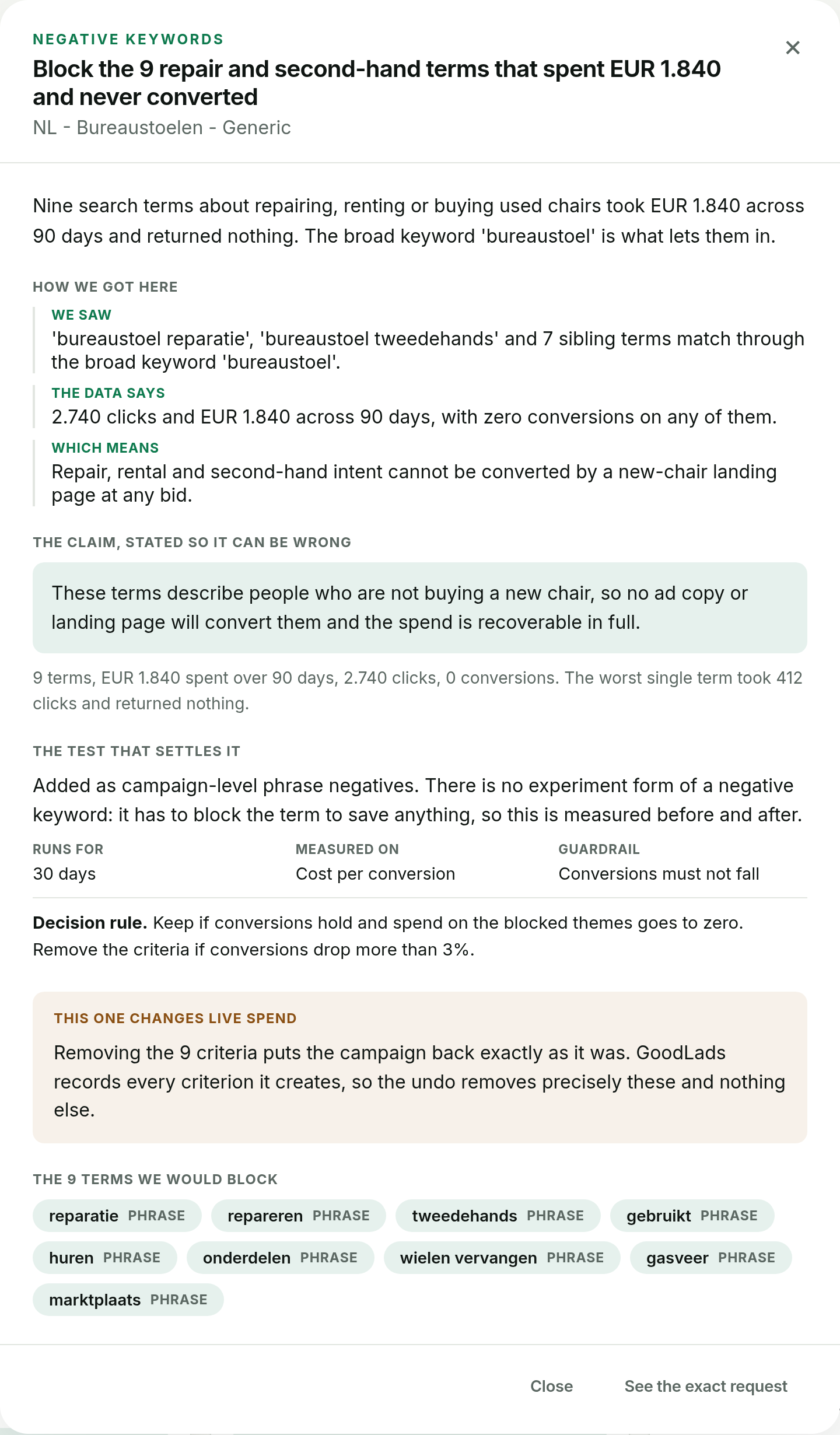
The free GoodLads audit lists the search terms that cost at least EUR 5 (in account currency) over the last 30 days without a conversion, and totals them as wasted spend. When a campaign's recommendations include negatives, GoodLads proposes them as campaign or ad-group negatives, each with its match type. Negatives are one of the few levers GoodLads applies to a live campaign, because they have no test form, so the apply button is orange and asks for a second confirm. Nothing is added without that click, and GoodLads can remove the negatives it added.
It does not manage your shared lists or sweep search terms on a schedule. If you want to query your search terms from Claude or ChatGPT instead, the MCP endpoint reads them on every plan.
Questions people ask
How often should I check the search terms report?
Monthly for most accounts spending EUR 10,000 a month or more, and weekly in the first month after launching a broad match or new campaign. Daily checks tend to negate terms on too little data.
How much should a search term spend before I add it as a negative?
Irrelevant terms can be negated at any spend. For relevant terms with no conversions, a common rule of thumb is to wait until the term has spent two to three times your target CPA.
Do negative keywords match close variants?
No. Negative keywords do not expand to plurals, misspellings or synonyms, so add each variant you want blocked.
Can you add negative keywords to Performance Max?
Yes. Since early 2025 you can add campaign-level negatives and shared negative keyword lists to Performance Max, account-level negative keywords apply to it too, and brand exclusion lists keep it off brand queries. They block Search and Shopping inventory only.