Bidding and budgets
How to test Performance Max
Reviewed September 2026 · All guides
Test Performance Max with the experiment types Google built for it, found under Campaigns > Experiments. An uplift experiment measures whether a PMax campaign adds conversions on top of the rest of the account, by holding part of the traffic back from it. An asset experiment, still labelled beta, splits one campaign's traffic between the headlines and descriptions it runs today and a new set, so you learn whether the new copy does better. Custom experiments, the type you use for Search, do not copy a Performance Max campaign, so a bid strategy or target change on PMax has no clean A/B form.
Two habits protect the reading: keep brand exclusions and account-level negatives in place for the whole test, and do not edit the asset group heavily while a test runs. Both change what the campaign serves mid-test, and the result then measures the edit along with the thing you were testing.
Why Performance Max is hard to test
A Performance Max campaign serves on Search, Shopping, YouTube, Display, Discover, Gmail and Maps from one budget, and Google decides the mix. Its reporting has grown, with channel-level and search term views added since launch, but the levers are fewer and coarser than on Search. You cannot copy a PMax campaign into a custom experiment the way you copy a Search campaign, and two asset groups in one campaign do not split traffic between them: Google allocates impressions by its own model, so comparing asset groups side by side compares two things Google chose to show to different people.
PMax also takes credit easily. It can serve on your brand queries, on remarketing audiences who were coming back anyway, and on Shopping auctions your standard Shopping campaign would have won. A before-and-after read of 'we launched PMax and conversions rose 20%' does not separate new conversions from ones PMax took from other campaigns.
Uplift experiments: does PMax add anything
An uplift experiment answers the question that matters most: with PMax on, does the account produce more conversions or value than without it, at an acceptable cost? Google splits traffic so that one group of users is eligible for the PMax campaign and the other is not, and reports the difference in conversions, value and cost between the two.
- Under Campaigns > Experiments, create a Performance Max experiment and choose the uplift option.
- Select the PMax campaign to test. Google lists only active campaigns, and compares it against comparable campaigns it picks from the account.
- Choose the traffic split. It defaults to 50/50, which gives the cleanest comparison.
- Set brand exclusions and account-level negatives before the start date.
- Run for at least four to six weeks, past the learning period and two conversion cycles. PMax campaigns often take longer to settle than Search.
- Read the uplift on the metric the business pays on: total conversion value or conversions for the account, and the cost of getting them.
Say an account spends EUR 80,000 a month on Search and Shopping at a 450% ROAS and plans a EUR 15,000 a month PMax campaign. If the treatment group shows EUR 48,000 more conversion value a month for EUR 15,000 more spend, the incremental ROAS is 320%. That figure, and not the 600% PMax may report for itself in the campaign table, is the one to compare with the account's goal.
Google also offers narrower comparisons: standard Shopping against Performance Max for the same products, Dynamic Search Ads or Display against Performance Max, and optimization experiments that split a campaign's traffic with text customization and final URL expansion on and off. Check the Experiments page for which your account shows. The reading rules are the same.
Asset experiments: testing copy inside a campaign
Asset experiments test one set of headlines and descriptions against another inside a single asset group. The control arm keeps the assets the group runs today; the treatment arm carries the new ones. Google splits the campaign's traffic between the arms and reports which did better, with the same kind of confidence reading as other experiments. Asset testing started with retail campaigns and opened to all Performance Max campaigns in January 2026, still as a beta; check the Experiments page in your account for what is available to you.
- Both arms run in the asset group that is already serving, so images, videos, logos and audience signals are common to both.
- The new assets serve to the treatment half of the campaign's traffic from the start date. The live campaign changes for that half from day one.
- An asset group holds at most 15 headlines and 5 descriptions. A full group has no room for new ones until you remove some.
- Test one idea per experiment: a new offer, a new proof point, a new angle. Ten unrelated headline changes at once tell you the set won, not which line did it.
For Search, the equivalent is a responsive search ad test; see how to A/B test responsive search ad copy.
What cannot be tested cleanly
- Target ROAS or Target CPA changes on a PMax campaign. There is no custom experiment copy to put the new target in. Change it in steps of about 10 to 20% and read it before and after, as covered in how to change a Target ROAS or Target CPA.
- Audience signals. They guide the start of learning and matter less over time; the effect of a change is small and hard to separate from noise.
- Asset group restructures, such as splitting one group by product category. The old and new groups learn from different starting points and cannot be compared in the same weeks.
- Feed changes for retail PMax: titles, images, custom labels. These change every campaign that uses the feed at once.
For these, a before-and-after comparison is the best available read. Make the change on a quiet week, keep everything else fixed, and compare at least four weeks either side against the same weeks of the prior year if seasonality matters. State the result as an estimate.
Brand exclusions and other guardrails
Brand exclusions in Performance Max, set in campaign settings from a brand list, stop the campaign serving on searches for your brand, or for other brands you choose, on Search and Shopping inventory; since 2025 retail accounts can choose which of the two they cover, so check the setting. Without them, PMax can win your brand queries, which your brand Search campaign would have won at a lower cost, and count those conversions as its own. Set them before any PMax test, or the uplift you measure includes brand traffic that was never at risk.
Account-level negative keywords apply to PMax, and campaign-level negatives for PMax have been available to all advertisers since January 2025, up to 10,000 per campaign. Add the same irrelevant themes you exclude from Search: jobs, free, how-to. Review the PMax search terms report during a test for queries that should not be there. The search terms guide covers the review.
Leave the asset group alone while a test runs. Adding or removing a few assets is a normal change; replacing most of the headlines, swapping all the images, or rewriting the final URL counts as a significant change and can send the campaign back into learning. During a test, that makes the second half of the period incomparable with the first.
Reading the results
- Wait for the end date, or at least until Google shows a confident result. Early leads in PMax tests reverse often, because learning takes longer than on Search.
- Read account-level conversion value and cost, not the PMax campaign's own column. The question is what the account gained.
- Check the confidence interval. A result of +12% with an interval of -3% to +27% is a result you cannot act on yet.
- Look for cannibalization: did Search or Shopping lose conversions in the treatment group that PMax picked up?
- Decide against the goal you set before the test, and write down what you learned for the next one.
How to read Google Ads experiment results goes through the confidence reading in detail.
Where GoodLads fits
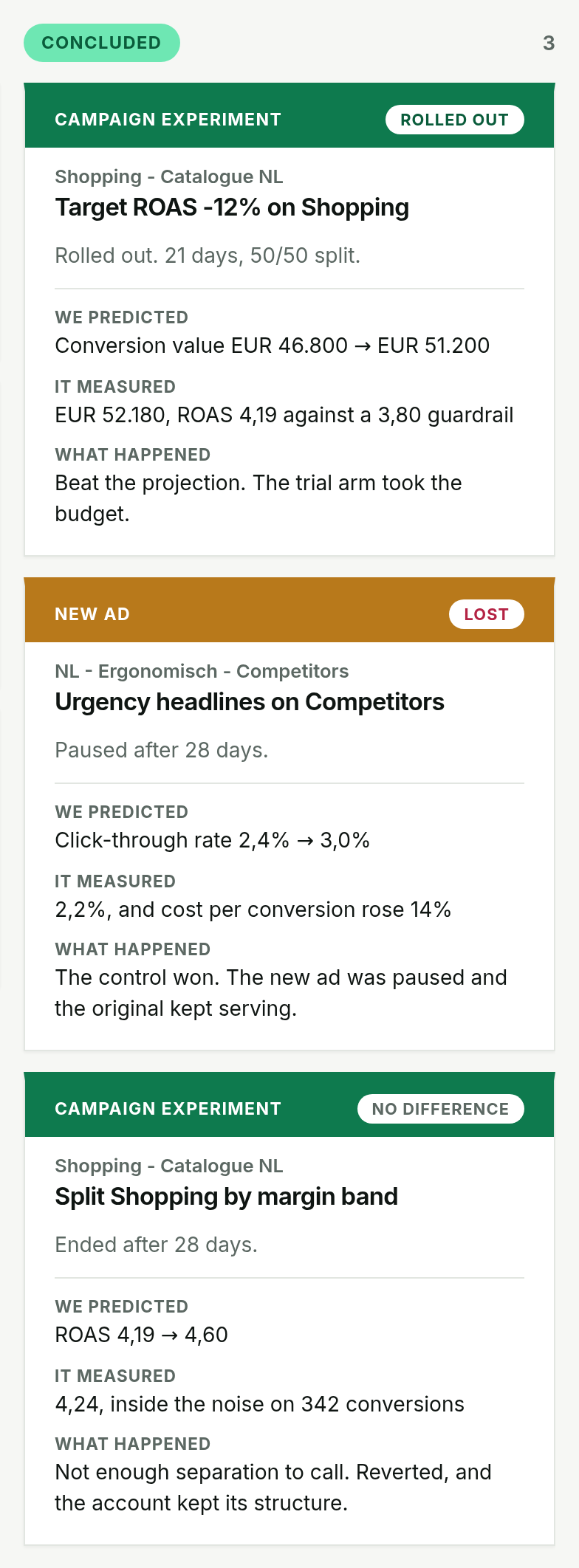
For Performance Max, GoodLads proposes one lever: an asset experiment with the campaign's current headlines and descriptions in the control arm and new ones in the treatment arm, written from the account's data and research on the business. The traffic splits 50/50, and the card says that half the campaign's traffic sees the new copy from the moment you deploy, so the button is orange and asks for a second confirm. It skips asset groups that have no room for new lines. It does not run uplift experiments, change PMax targets, or edit audience signals or feeds. The worked demo account shows the card format on its Search campaigns.
Questions people ask
How do you test Performance Max?
Use the Performance Max experiment types under Campaigns > Experiments: an uplift experiment to measure whether PMax adds conversions to the account, and an asset experiment to test new headlines and descriptions inside a running asset group.
Can you A/B test asset groups in Performance Max?
Two asset groups in one campaign do not split traffic, so comparing them side by side is not a controlled test. An asset experiment, which splits one group's traffic between two sets of copy, is the controlled version.
How long should a Performance Max experiment run?
At least four to six weeks, past the learning period and two conversion cycles. PMax campaigns often take longer to settle than Search.
Does Performance Max take credit for brand searches?
It can, when brand exclusions are not set. Add a brand exclusion from a brand list in the campaign settings so brand queries stay with your brand Search campaign.