Testing and experiments
How to run a Google Ads experiment
Reviewed September 2026 · All guides
To run a Google Ads experiment, open Campaigns > Experiments, create a custom experiment on the campaign you want to change, make the change in the trial arm only, split traffic 50/50, and let it run for at least four weeks before you read the scorecard. If the trial wins on the metric you chose up front, apply it to the original campaign or convert it into a new one. Everything else in this guide is detail that decides whether the result means anything.
The reason to bother: a change made directly to a serving campaign leaves you comparing this month against last month, with seasonality, competitor bids and your own other edits mixed into the difference. An experiment runs both versions over the same days on split traffic, so the difference between the arms is the change you made.
What a custom experiment does
A custom experiment takes one campaign (the base) and creates a copy of it (the trial). You make your change in the trial. Google then splits the base campaign's traffic and budget between the two according to the percentage you set, and reports the two arms side by side with a confidence interval on each metric.
The base campaign keeps serving throughout and keeps its history. The trial is a separate campaign object with its own ID, visible in the campaigns list with the suffix you give it. When the experiment ends, the trial stops serving and the base campaign gets its full traffic back unless you apply the trial.
Changes worth testing this way are the ones with a real downside if they go wrong: a new bid strategy or target, broad match on a phrase-heavy campaign, a new landing page, a rewritten set of ads, a different location setting. For target changes specifically, see how to change a Target ROAS or Target CPA without breaking a campaign.
Setting up a custom experiment, step by step
- In the left menu go to Campaigns > Experiments. Click the plus button and choose Custom experiment.
- Name the experiment after the change and the date ("tROAS 400 to 450 - Oct 2026"), and set a trial campaign suffix such as [trial] so the copy is easy to spot in reports.
- Choose the base campaign. It has to be enabled and use its own budget: shared budgets are not compatible with experiments, so move the campaign to an individual budget first. You can schedule up to five experiments on a campaign, but only one runs at a time.
- Pick up to two success metrics, for example Conversions and Cost / conv., or Conv. value and Conv. value / cost. These are the metrics the scorecard leads with, so pick the ones you will judge on.
- Make the change in the trial campaign's settings, ad groups or ads. Change one variable. Leave everything else identical, including budget, which Google splits for you.
- Set the experiment split. Google recommends 50%, which is also the fastest route to a readable result. A smaller trial share (20-30%) limits risk on a large campaign but multiplies the time to significance.
- For Search campaigns, choose cookie-based or search-based splitting (explained below).
- Turn on experiment sync so later edits to the base campaign are copied to the trial automatically.
- Set the start date and an end date. Pick an end date at least four weeks out; you can end it earlier or extend it while it runs.
- Schedule the experiment. The trial's ads go through policy review like any new ad, so start it a day or two ahead of when you need data.
Search-based or cookie-based split
Search-based splitting assigns each individual search to one arm at random. The same person can see the base on Monday and the trial on Tuesday. It reaches statistical significance faster because every auction is an independent draw. Cookie-based splitting assigns each user to one arm and keeps them there, so a returning user always sees the same version. Google marks cookie-based as the recommended option.
Search-based is a reasonable choice for bidding and keyword tests on high-volume campaigns, where the user does not notice which arm they are in and the faster read is worth having. Use cookie-based for landing page and ad copy tests, and for products with long consideration, where the same person searches several times before buying and a mix of both versions would blur the result.
Ending the experiment and applying it
When the experiment ends, or while it is still running, you can apply it. Google offers two options: update the original campaign with the trial's changes, which keeps the base campaign's ID and history, or convert the trial into a new campaign and pause the original. Updating the original is the right choice in most cases because reports, labels, scripts and conversion history stay attached to one campaign.
At setup Google also offers to apply the experiment for you when the trial beats the base on the metrics its rules use for your bid strategy, such as higher conversion value and higher ROAS for Maximize conversion value with a target ROAS. That setting changes the live campaign without another look from you. Leave it off if you want to read the scorecard on your own success metric before anything is applied.
Which campaign types support which experiments
- Search: custom experiments with every lever (bidding, keywords, match types, ads, landing pages, audiences, locations). Also ad variations, which test a text change across many ads at once.
- Display: custom experiments, cookie-based split.
- Video: custom experiments for auction-based Video campaigns, plus video experiments, which compare different video ads across a split audience.
- Hotel: custom experiments.
- Performance Max: no custom experiment on the campaign itself. Google offers its own types instead: uplift experiments that measure adding Performance Max to your mix, Standard Shopping against Performance Max, and optimization experiments inside the campaign, such as asset tests and A/B tests of two asset sets in one asset group (in beta at the time of writing) and final URL expansion. See how to test Performance Max.
- Demand Gen: A/B experiments between Demand Gen campaigns.
- Shopping: no custom experiment. A Standard Shopping campaign can be tested against Performance Max.
- App campaigns: no custom experiment. Google's App experiment types, such as asset uplift tests and directional experiments for video-only App install campaigns, test creative. A change to an App campaign's bid target applies to the live campaign.
Google is also testing campaign mix experiments (in beta), which compare combinations of campaigns and settings across types in one experiment. The Experiments page shows the types your account can create when you click the plus button, so check your account. If a campaign does not appear in the base campaign list, it is the wrong type, it uses a shared budget, or it already has an experiment running.
Mistakes that invalidate a test
- Changing two things in the trial. A new bid strategy plus new ads gives one result for two causes.
- Editing the base campaign with sync off. The arms stop being identical except for the one change, and the scorecard compares two different campaigns.
- Reading results during the first week. A trial with a new bid strategy or target sits in a learning period, and a trial of any kind starts with fresh ads going through review. Discard the first 7 to 14 days when you read the result.
- Stopping on the first day the scorecard shows a significance marker. Checking daily and stopping on the first good day inflates false positives. Set the duration in advance; see how long an experiment should run.
- Changing conversion actions mid-test. Adding a primary conversion action, switching attribution model or turning on Enhanced conversions moves both arms, but can move them unevenly if the change interacts with the tested lever.
- Judging on CTR when the change was about profit. A trial with higher CTR and higher CPA lost.
- Running with too few conversions. A campaign with 20 conversions a month will not reach significance on a CPA change in any reasonable time. Test on the larger campaign, or pool similar campaigns into one test.
Seasonality, by contrast, does not invalidate an experiment: both arms see the same Black Friday. It makes the result less portable, since a win during a sale week may not hold in February.
After the test
Read the scorecard on the metric you picked at setup, with its confidence interval. How to read Google Ads experiment results covers what the interval and the significance marker tell you, and what to do when the answer is inconclusive.
Write down what you tested, the dates, the split and the result, win or lose. An account that has run twenty experiments and kept the log knows things about its auction that no benchmark will tell it. An account that ran twenty and kept no log will run several of them again.
Where GoodLads fits
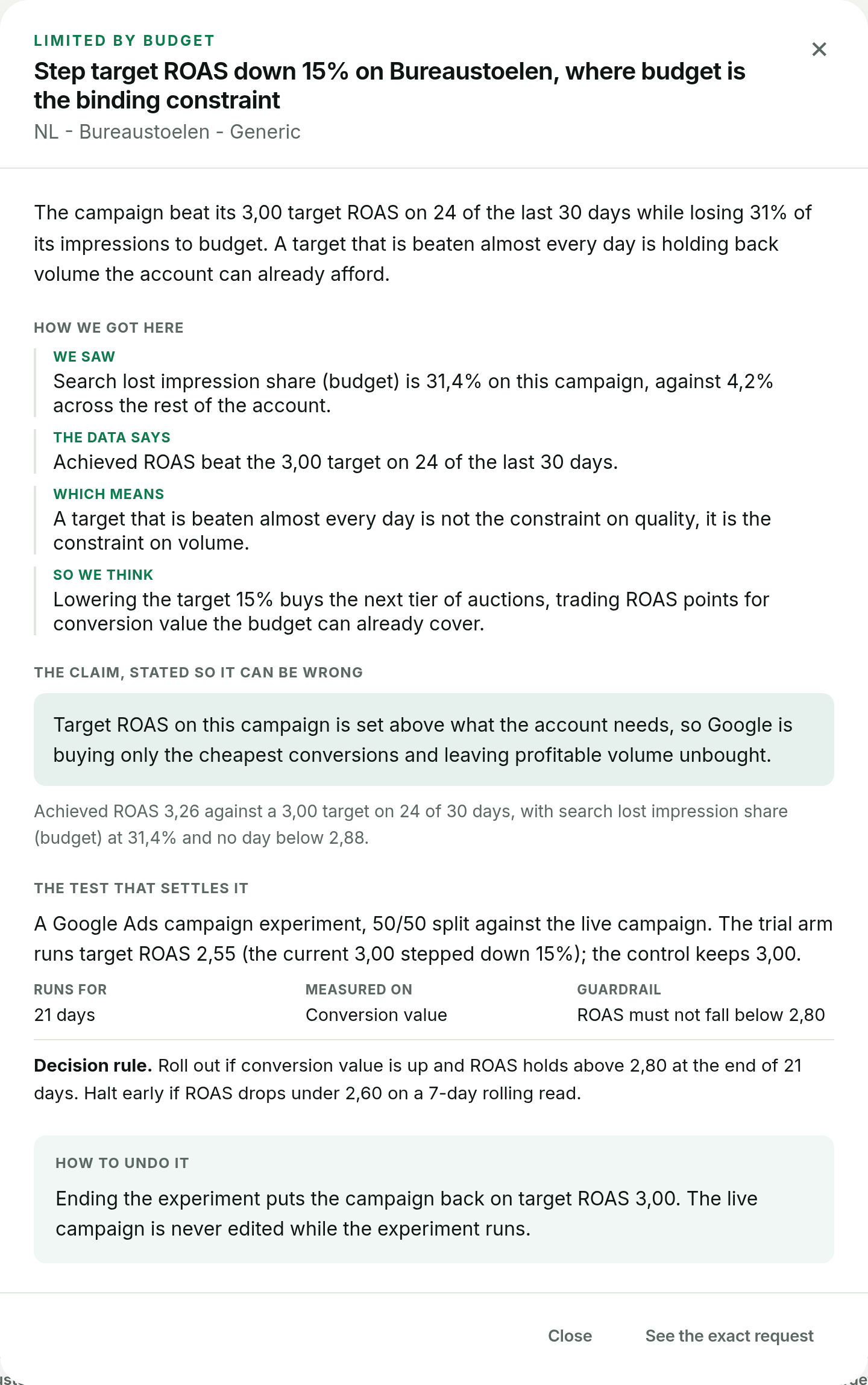
GoodLads reads a connected account, writes three hypotheses per campaign, and applies the one you pick as a Google Ads experiment where the campaign can run one: a custom experiment on Search, an asset experiment on Performance Max. Nothing reaches the account until you click, and each applied hypothesis moves across a board until it has a verdict on conversion value or CPA. You can see this on a worked account in the demo.
It does not replace your judgement on what to test, and it does not run experiment types it has no lever for, such as Video experiments. If you run your own tests by hand, the steps above are the whole job; if you want a second opinion on what to test first, the free audit is where to start.
Questions people ask
Where are experiments in Google Ads?
In the left menu under Campaigns > Experiments. Click the plus button to create a custom experiment, an ad variation or one of the other experiment types your account supports.
What traffic split should I use for a Google Ads experiment?
50/50 in most cases, because it reaches a readable result fastest. Use a smaller trial share only when the change is risky enough that you would accept a much longer test to limit exposure.
Can I edit the original campaign while an experiment is running?
Only with experiment sync turned on, which copies edits from the base campaign to the trial. With sync off, any edit to the base breaks the comparison.
Does applying an experiment reset the campaign's learning?
Applying the trial to the original campaign keeps its ID and history, but the change itself, such as a new bid strategy or target, can put the bid strategy back into a learning period like any other change of that kind.
Can you run an experiment on a Performance Max campaign?
Not a custom experiment. Performance Max has its own experiment types: uplift experiments, Standard Shopping against Performance Max, and optimization experiments such as asset tests and final URL expansion.