Documentation - Jobs to be done
Where insights and actions meet.
Insights and Actions describe the two halves on their own. This page is the join: the journey every account goes through, and how completely each step is built today.
Seven steps, from the first question you would ask about an account to the last one you would ask months later. Each is a real, separate part of the product, not a metaphor. The coverage score is a self-assessment against what is wired up right now, not against what the step is meant to do in principle - a low score names a real gap, not a hedge.
| Step | Sub-job (in your words) | Served by | Screenshot | Coverage | What's missing |
|---|---|---|---|---|---|
| 1. Define | "Show me how my accounts and campaigns are doing, in one place, without me building the report." | Campaign performance reads (spend, conversions, ROAS, impression share), rolled up on the account overview. | 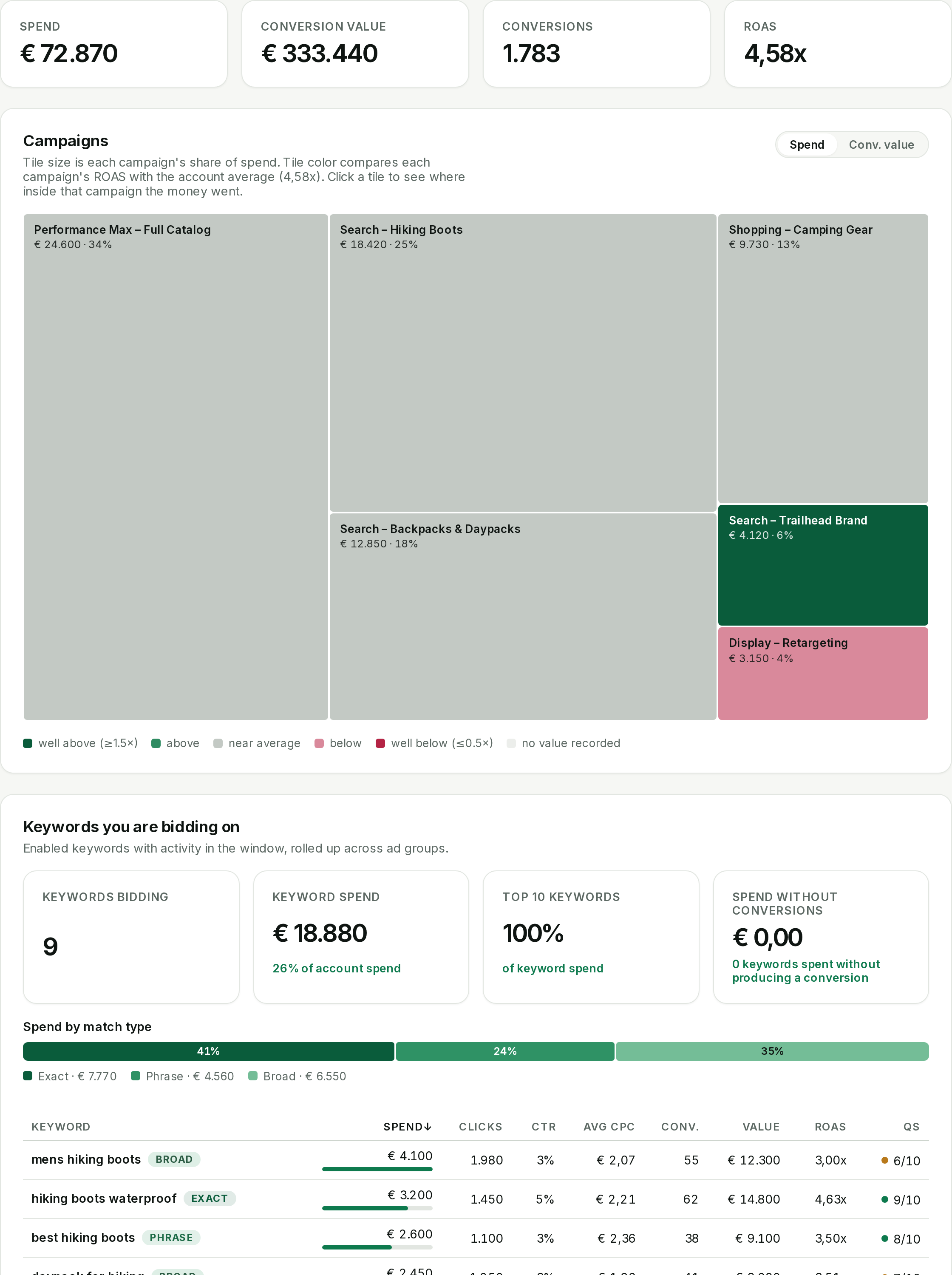 Account overview Account overview | 8/10 | Covers everything Google Ads reports. Revenue and CRM truth, and behavior past the click, are not read yet. |
| 2. Locate | "Find where I'm wasting spend or leaving ROAS on the table - don't make me hunt through search terms and Quality Score myself." | Search-term, keyword-quality, geography and audience reads, plus Google's own recommendation feed - all read-only. |  Recommendations feed Recommendations feed | 9/10 | Every read exists, but not every skill sees every read - an App campaign works from a deliberately narrow slice. |
| 3. Prepare | "Tell me exactly what you'd change and let me see the request before anything happens." | The request preview - builds the exact request Google Ads would receive, strictly read-only, before you ever click deploy. | 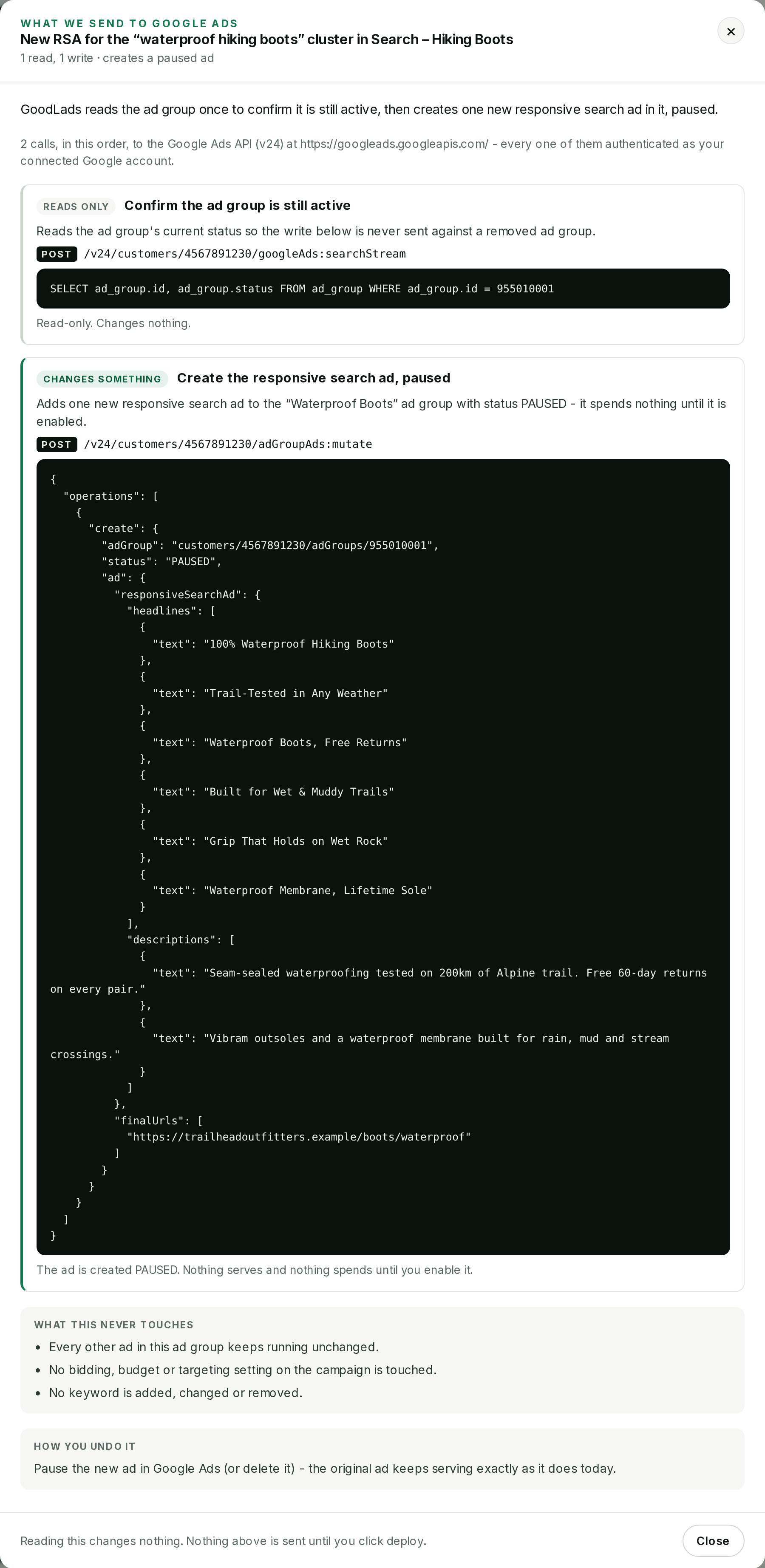 Request preview Request preview | 6/10 | Wired into recommendations-feed cards only. A Chat-proposed idea has no preview step yet. |
| 4. Decide | "Recommend the least risky lever that still works for this channel - test it if you can, only edit live if you must." | The ladder itself: every idea is gated to an experiment or a paused new object unless the channel has no other path. | 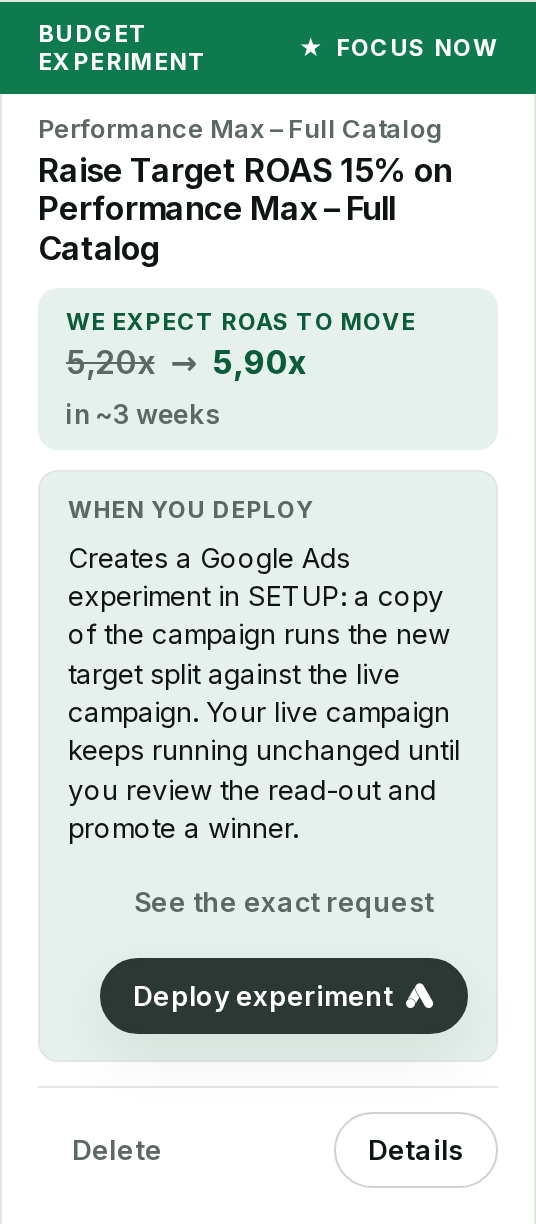 The chosen recommendation The chosen recommendation | 7/10 | Enforced in full, but shown as one chosen card, not as a comparison against the levers it ruled out. |
| 5. Monitor | "Once it's running, show me whether it's working - don't make me log into Ads to check." | Outcome tracking on every applied recommendation, surfaced back on your board and answerable directly in Chat. | 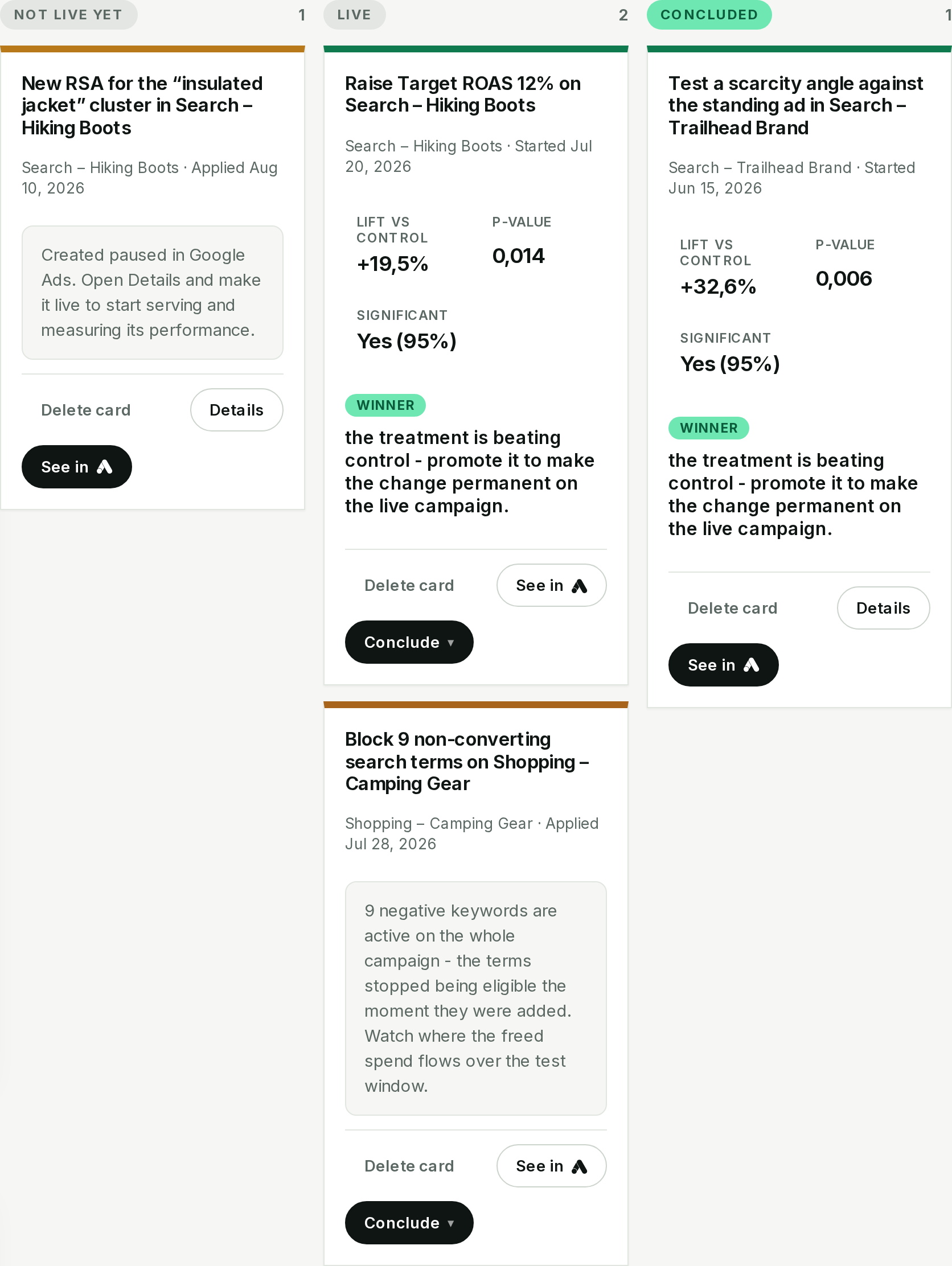 Outcome board Outcome board | 7/10 | Pull, not push: nothing tells you a test has concluded. You have to check the board or ask. |
| 6. Conclude | "When a test wins, let me promote it to live in one click. When it doesn't, let me kill it or undo the negative keywords with no side effects." | One-click promote, one-click end, and a clean undo for negative keywords - each its own reversible write. | 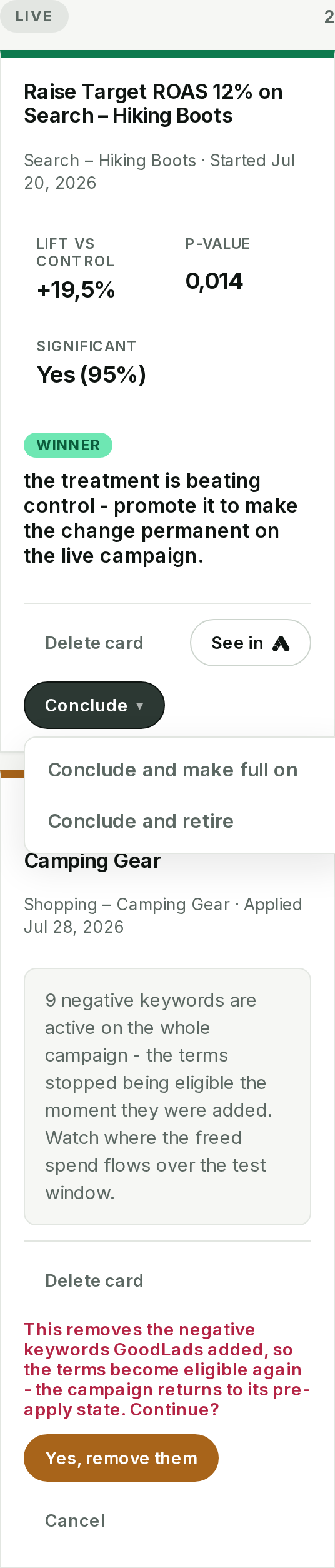 Promote, end or undo Promote, end or undo | 9/10 | Complete for every write kind that reaches this step. Nothing found missing here. |
| 7. Audit | "If something changed and I don't remember why, show me the history." | The account's own change history, readable on the Settings tab or in Chat - not gated behind Chat being on. | 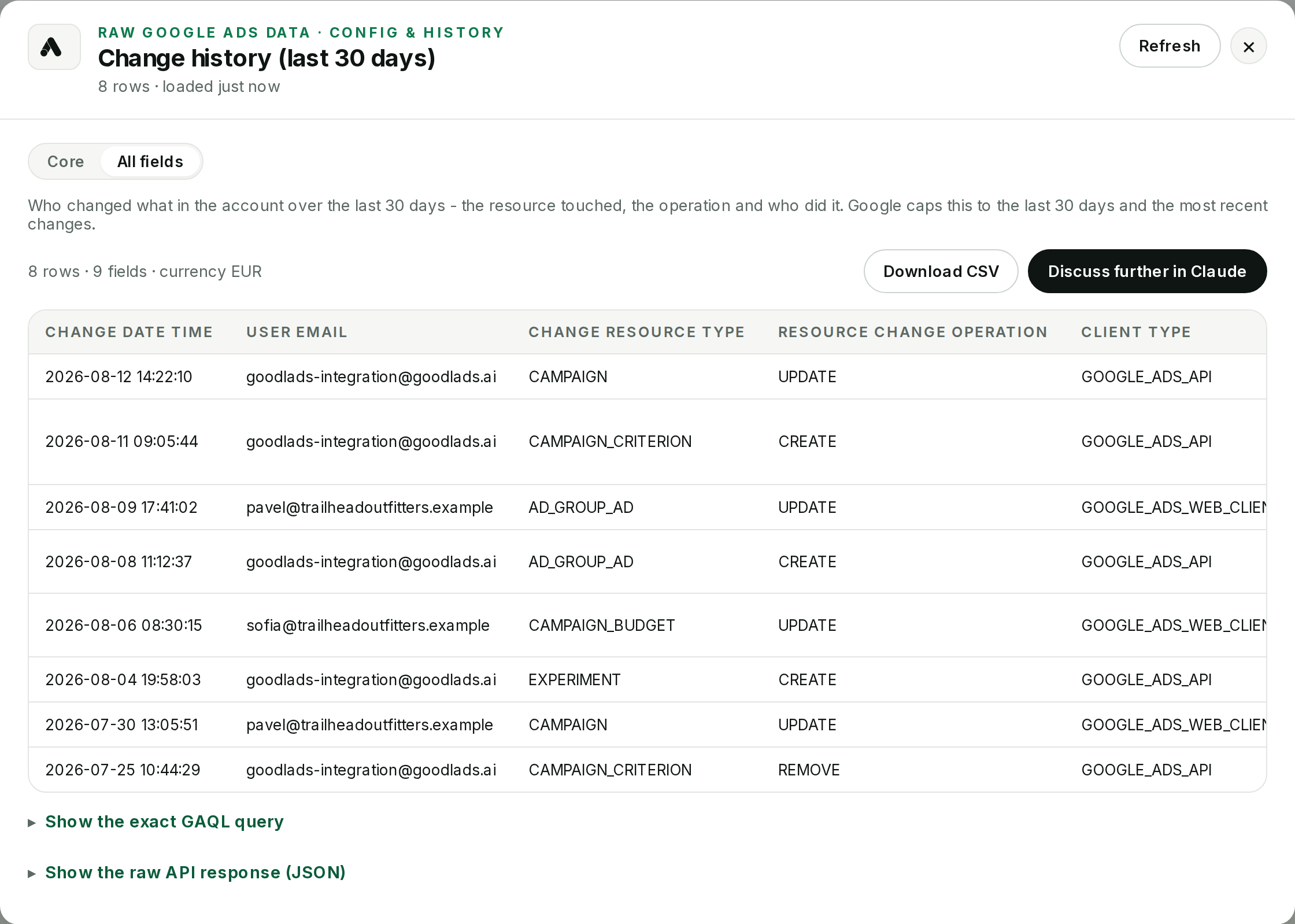 Change history Change history | 8/10 | Capped at Google's own last 30 days, and shown as a raw table, not a written summary of what changed and why. |
Steps 2 and 4, Locate and Decide, are not one mechanism. They are a standing set of skills that run continuously, campaign by campaign, for every connected account - each reading a specific slice of your data and writing back a specific kind of change. See what each one does, the job it serves, and how to try it, on the Skills page.