Comparison
GoodLads vs Google Ads scripts
Reviewed September 2026 · All comparisons
Should you use Google Ads scripts or a tool? For rules, alerts and reports you can define precisely, scripts are hard to beat: they are free, they run inside the account on a schedule as often as hourly, and they do exactly what you wrote. They are a weaker fit for deciding what to change and for changing it safely, because a script writes straight to live campaigns and nobody notices when it stops working unless you built that check too.
GoodLads covers the other half: it reads the account, proposes three changes per campaign, and applies the one you approve as a Google Ads experiment or a new paused ad. Plenty of accounts run both. This page sets out where each one belongs.
At a glance
| How they compare | GoodLads | Google Ads scripts |
|---|---|---|
| Primary focus | Three recommendations per campaign aimed at ROAS or CPA, each tracked to a verdict | Whatever you code: rules, alerts, bulk changes, reports, feed and label automation |
| Who builds it | Nothing to build; connect the account | You, a developer, or a script copied from the community and adapted |
| When it runs | Ideas generated on request; changes applied when you click | On a schedule down to hourly, or manually; each run capped at 30 minutes (60 for some manager-account scripts) |
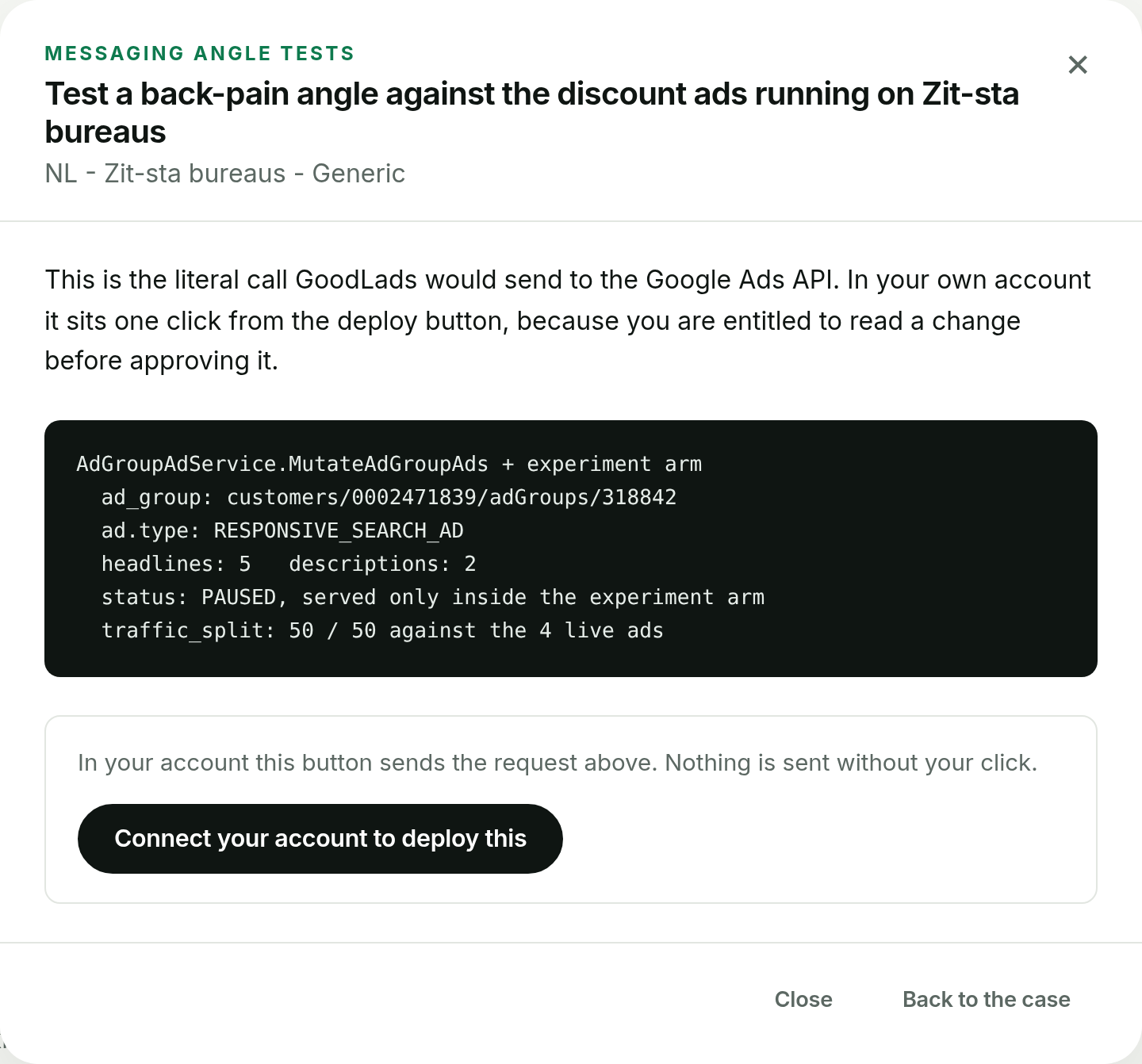
| How changes are applied | A Google Ads experiment or a new paused ad first; live only for the few levers with no test form, orange with a two-step confirm | Direct writes to live campaigns on every scheduled run, with no approval step unless you code one |
| Deciding what to change | Reads the account and researches the company behind it to propose the change | Applies the thresholds you wrote; it has no view on whether they are still right |
| Failure handling | Maintained by us; each applied change is tracked on a board | Errors land in the script's log; you hear about them only if the script emails you |
| Channels | Google Ads only | Google Ads only, with access to Sheets, Drive, email and external URLs |
| Pricing model | $100 per month, flat, for one account; free audit first | Free; the cost is the developer time to write and maintain them |
What Google Ads scripts are built for
Google Ads scripts are JavaScript programs you paste into the account under Tools, Bulk actions, Scripts. They read and change campaigns, ad groups, keywords, ads and budgets, query reports with GAQL, and talk to Google Sheets, Drive, email and outside URLs. You can preview a script, which runs it without making changes, run it by hand, or schedule it hourly, daily, weekly or monthly. Each run stops after 30 minutes. A script in a manager account can work across client accounts, up to 50 at a time in parallel, and those parallel runs get up to 60 minutes.
The classic uses are well worn: an email when spend on an account stops or doubles, a check for broken landing page URLs, pausing keywords over a cost threshold with no conversions, an n-gram report of search terms written to a Sheet, budget pacing against a monthly target, and labels or bids driven by a stock feed. A large library of free community scripts covers most of these.
How GoodLads approaches the same job
A script executes a decision you already made. 'Pause any keyword with EUR 200 spend and no conversions in 30 days' is a rule; the script applies it every hour whether or not EUR 200 is still the right line for that account. GoodLads works one step earlier: it reads the last 30 days of every campaign, researches the company behind the account, and proposes three changes per campaign, each with the signal it found and the metric move it predicts.
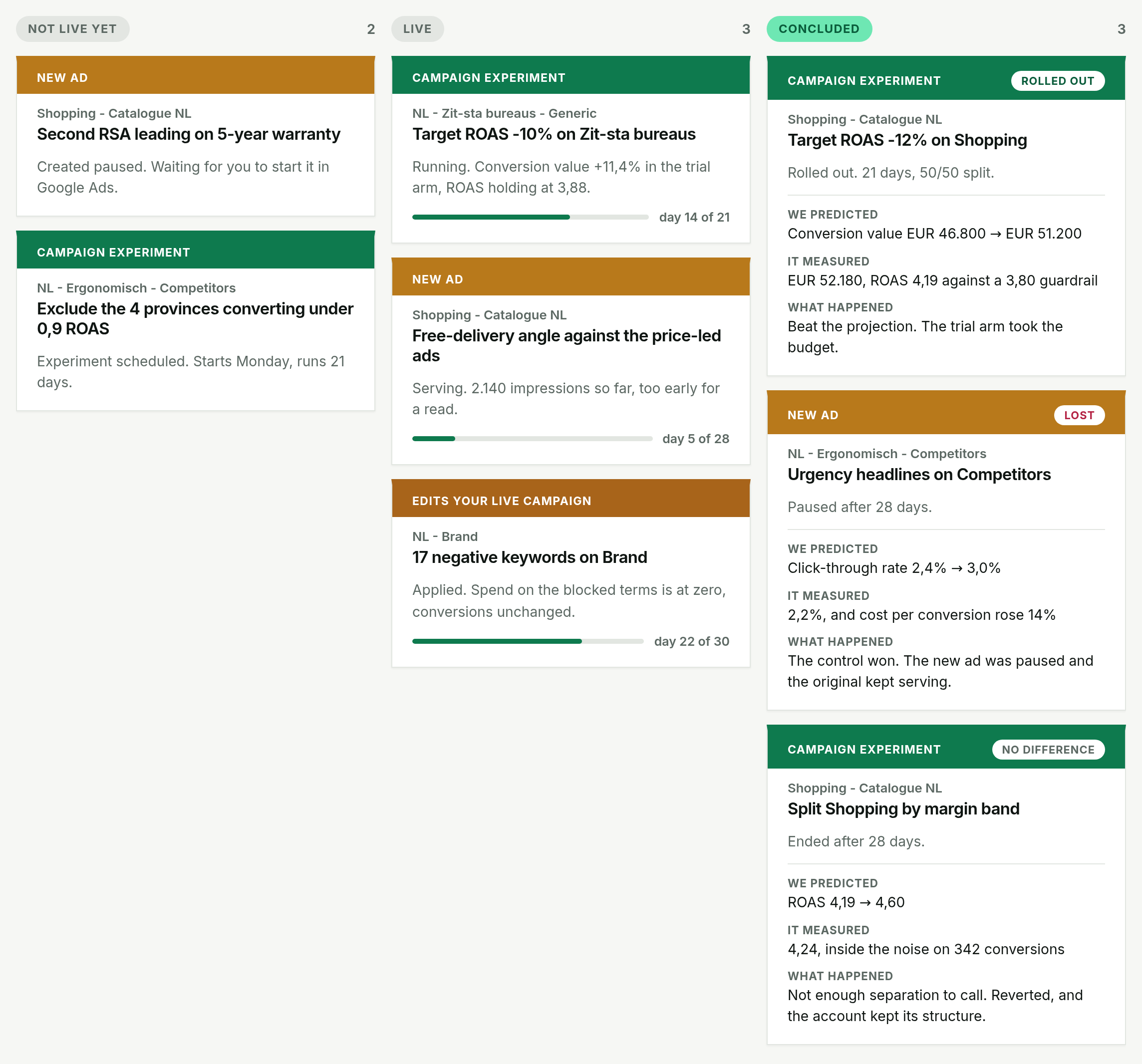
The way changes land is different too. A script writes to live campaigns the moment it runs. GoodLads applies nothing without your click, and it prefers a Google Ads experiment, then a new paused ad, over editing what is serving. The few levers with no test form, such as a negative keyword, apply live behind an orange button and a second confirm. Each applied change then stays on a board until there is a verdict on ROAS or CPA.
Where Google Ads scripts are strong
For anything you can specify exactly, scripts are the better tool, and they cost nothing.
- Free, with no seat or spend-based fee, and no third party holding access to the account.
- Fully custom: if the scripts API exposes it, a script can check it, report it or change it, in your naming conventions and your thresholds.
- Alerts: spend anomalies, zero-impression campaigns, disapproved ads and broken URLs, checked every hour and emailed to whoever needs to know.
- Reports straight into Google Sheets, on a schedule, in the format your team or client already reads.
- Bulk and feed-driven work, such as pausing ads for out-of-stock products, that no recommendation tool is built to do.
- Preview mode lets you see what a script would change before it changes anything.
Where Google Ads scripts ask for trade-offs
Most of the cost of scripts arrives after the first week.
- Someone has to write them, and someone has to keep them working when Google renames a field, retires a report or changes a campaign type. That person is often a freelancer who has moved on.
- They break without telling you. A script that hits an error or its time limit logs it and stops; unless it was written to email on failure, the alert you rely on goes quiet and looks like good news.
- They write to live campaigns. A threshold typed as 20 instead of 200, or a selector that matches more campaigns than intended, applies to every entity it matches on the next hourly run.
- Rules age. A cost-per-conversion cut-off set when CPA was EUR 40 keeps firing after the account's target moved to EUR 60.
- They carry out decisions; they do not make them. A script will not tell you that the next thing to test is a new landing page angle.
Where GoodLads is the weaker choice
Several jobs belong to scripts, and GoodLads does not try to do them.
- GoodLads does not send hourly spend or disapproval alerts, check landing page URLs, or pace budgets against a monthly target.
- It does not run bulk rules across every campaign, adjust bids or budgets on a schedule, or react to a product feed.
- It does not build custom reports into your Sheets.
- It costs money, where scripts cost only time. For a team with a developer on hand, that trade can favour scripts.
Pricing, compared
Google Ads scripts are free to run. The real cost is the hours to write, test and maintain them, and the spend lost when one misfires or stops without anyone noticing.
GoodLads Pro is $100 a month for one Google Ads account, whatever it spends, with a 14-day free trial. Agency is $1,000 a month for up to 10 accounts, and Enterprise is $2,000 a month with no account cap and calls with the founders. The free audit needs no subscription.
Which should you choose?
Google Ads scripts are likely the better fit if
- You know the rule, the alert or the report you want and can write it down exactly.
- You have someone who writes JavaScript and will own the scripts after they ship.
- You need hourly monitoring, custom Sheets reports or feed-driven changes.
- Budget for tools is zero.
GoodLads is likely the better fit if
- Your open question is what to change next, and automating a change you already chose would not answer it.
- You want changes applied as experiments or paused ads, on your click, rather than written live on a schedule.
- You want each change tracked until you know whether it moved ROAS or CPA.
- Nobody on the team wants to maintain code inside the ad account.
The bottom line
Google Ads scripts are the right tool for monitoring, reporting and rules you can specify exactly, and they are free. Their costs are maintenance, silent failure and the fact that every run writes to live campaigns without asking.
GoodLads does the part a script cannot: deciding what is worth changing, applying it as a test on your approval, and telling you whether it worked. Keep your alert scripts running, and let GoodLads propose the changes.