Testing and experiments
Does editing a Google Ads ad reset its performance history?
Reviewed September 2026 · All guides
The ad keeps its totals, and they stop meaning what they did. Google's help states that editing a responsive search ad's headlines and descriptions does not remove and recreate the ad, so the ad keeps its ID and its statistics. Every new or reworded headline and description starts as an asset with no history, the edited ad goes back through policy review, and the ad's totals from then on mix two versions of the ad. An ad edit also does not normally put the campaign's Smart Bidding strategy back into its learning period; that is triggered by changes to bidding, targets, conversion settings and campaign composition.
So the cost of an edit is specific: you lose a clean before-and-after comparison and the proven version of the ad, and you gain untested copy in its place. That is why the safer move on a campaign that works is to add the new version next to the old one, or to test it in an experiment.
What happens when you edit a responsive search ad
Responsive search ads are the text ad you can create and edit on Search today. They are assembled from up to 15 headlines and 4 descriptions, and Google learns which combinations to serve for which queries. According to Google's help, editing an RSA's headlines and descriptions does not remove and recreate the ad: the ad keeps its ID and the Ads view keeps its statistics under one row. That is a change from older formats, where saving an edit created a new ad and left the old one behind as removed.
Keeping the ID does not keep the meaning of the history. After an edit:
- Assets: every new or reworded headline and description is a new asset with no performance history. Google has to serve it to learn about it.
- Statistics: the ad's totals now cover two versions of the ad. Comparing its CPA before and after the edit compares two different ads over two different periods, with seasonality and every other change in the account mixed in.
- Review: the edited ad goes back through policy review. Check its status after saving, especially if it is the only ad in the ad group.
- Combinations: removing a strong headline removes it from every combination it appeared in, which can change the ad's performance more than the headline's own asset statistics suggest.
Check the Ad ID column before and after an edit if a script, label or report depends on it. Either way, plan as if the edited ad is a new one for performance purposes.
Expanded text ads and other older formats
Expanded text ads, the format before RSAs, can no longer be created or edited. Existing ones can still serve, and you can pause, enable or remove them. If an old expanded text ad needs new copy, the route is a new responsive search ad next to it.
For formats where an edit does create a new version, Google keeps the metrics of the previous version visible, but you cannot resume the original; to use the old text again you create a new ad with it.
What does and does not trigger a Smart Bidding learning period
The learning period is a bid strategy state, shown as Learning in the bid strategy status column. Smart Bidding enters it when the signals it bids on change enough that its model needs recalibrating. Google's rule of thumb is that learning lasts up to about 7 days, or about 50 conversions, or three conversion cycles.
Changes that trigger it
- Creating a new bid strategy or switching a campaign to a different one.
- Changing a Target CPA or Target ROAS by a large amount. The usual rule of thumb is to move targets by no more than about 15-20% at a time; see how to change a target without breaking a campaign.
- Changing conversion settings: which conversion actions are primary, their values, or the conversion goals the campaign uses.
- Changing the composition of a portfolio bid strategy, such as adding or removing campaigns or ad groups.
Changes that usually do not
- Editing or adding a single ad.
- Adding a few negative keywords.
- Small budget changes. Large budget jumps can still disturb delivery for a few days even when the status does not change.
An ad edit that does not trigger Learning can still move performance. If you rewrite every ad in a campaign at once, the bid strategy is bidding on the same conversion history with creative that converts differently, and CPA can shift for a week or two while that feeds through. The status column will not warn you.
Why a new ad alongside is safer
Adding a new ad next to the one that works keeps everything the edit throws away. The proven ad keeps serving and keeps its history. The new ad goes through review without leaving the ad group empty. And both run over the same days, so the comparison between them is not polluted by seasonality or by whatever else changed in the account that month.
- Create the new ad in the same ad group, starting paused if you want to review it before it serves.
- Enable it once it is approved. An ad group can hold up to three enabled responsive search ads.
- Let both serve for at least two to four weeks, depending on volume.
- Compare them on conversions per impression and cost per conversion, not CTR alone. How to A/B test responsive search ad copy covers the method and its limits.
- Pause the loser. Pausing keeps its history; removing it hides it from default views.
An ad-group comparison is not a controlled test: Google decides how to split impressions between ads, and it will favour the one it expects to perform. When you need a clean answer, use a custom experiment or ad variations, which split traffic for you.
Editing a live ad is still the right call sometimes: a price that is wrong, a discontinued offer, a policy problem, a broken link. Those are fixes, and a fix should not wait for a test.
Where GoodLads fits
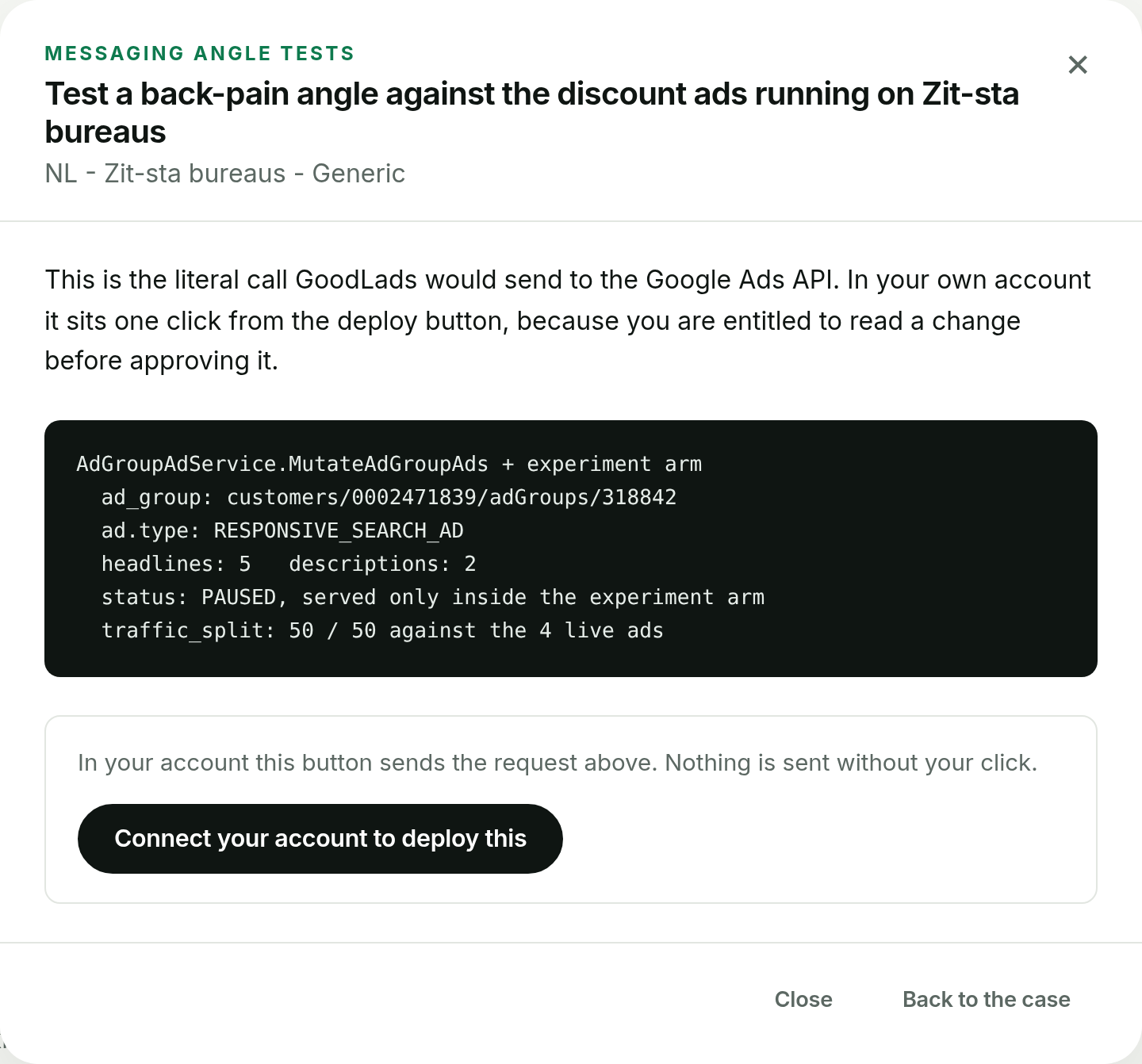
This is the principle GoodLads is built on. Its order of preference is a Google Ads experiment first, then a new ad created paused, and an edit to a live campaign last. When it proposes new ad copy, it adds a new paused ad next to the existing ones and leaves the ads that are serving untouched. The few levers with no safer form, such as a negative keyword or an App campaign's bid target, are marked in orange and ask for a second confirm before they write anything. The demo shows each category on a worked account.
It will not stop you editing ads yourself in Google Ads, and it does not fix a wrong price in a live ad for you. If you want to compare it with tools that do make live edits on approval, see GoodLads vs Opteo.
Questions people ask
Does editing a Google Ads ad reset its stats?
Not for a responsive search ad. Google says editing an RSA's headlines and descriptions does not remove and recreate the ad, so it keeps its ID and statistics. The new or changed headlines and descriptions start without history, and the ad's totals from then on mix two versions.
Does editing an ad reset the Smart Bidding learning period?
Not usually. The bid strategy status goes to Learning after changes to the bid strategy, targets, conversion settings or portfolio composition, not after a single ad edit.
Does editing a responsive search ad send it back to review?
Yes. An edited responsive search ad goes back through policy review, and any new or changed headlines and descriptions start without performance history.
Should I edit an ad or create a new one in Google Ads?
Create a new one alongside the existing ad when the old ad performs, and pause the loser after a few weeks. Edit only to fix an error such as a wrong price or a broken link.