AI and automation
Google Ads MCP: connect Claude or ChatGPT to your Google Ads data
Reviewed September 2026 · All guides
To connect Claude or ChatGPT to your Google Ads data, you give the assistant an MCP server that can query the Google Ads API on your behalf. There are two routes: run a server yourself against the Google Ads API with your own developer token and OAuth credentials (Google's official open-source server, released in October 2025, is the usual starting point), or use a hosted endpoint that handles access for you, such as the read-only one included in every GoodLads plan. Either way, the assistant can then pull campaigns, search terms and keywords into the conversation and reason over the figures instead of over a pasted CSV.
The choice between them comes down to three things: how much setup you want to own, whether the server can write to the account, and whether the assistant brings any method to the data or improvises one. On an account spending EUR 50,000 a month, the second question matters most.
What MCP is, in Google Ads terms
The Model Context Protocol (MCP) is an open standard for connecting AI assistants to outside tools and data. An MCP server exposes a set of tools, each with a name and a description; the assistant decides when to call one, the server runs it and returns the result. Claude (web, desktop and Claude Code), ChatGPT through its developer-mode connectors, Cursor, VS Code and others all speak it.
For Google Ads, the tools are usually reporting calls: list the accessible accounts, run a query against campaigns or search terms, return keyword and Quality Score data. With them, you can ask "which ad groups had a CPA above EUR 80 last month" and the assistant fetches the rows itself. Without them, you export a report, paste it in, and the assistant sees whatever columns you remembered to include.
Option 1: run your own server against the Google Ads API
Google's Google Ads API team released an official open-source MCP server on 7 October 2025, published on GitHub as googleads/google-ads-mcp. It is a Python server you run with pipx on your machine or your own infrastructure. It exposes three tools: search, which runs a Google Ads Query Language (GAQL) query; list_accessible_customers, which returns the account IDs your credentials reach; and get_resource_metadata, which describes the fields available on a resource such as campaign. It also serves the API's metrics, segments and release notes as reference material for the model.
Community servers exist too, some with write tools, and some teams build their own on the Google Ads API client libraries. Check the scope of any server before you connect it: whether it only reads, or also exposes mutate operations.
What self-hosting needs:
- A Google Ads API developer token from the API Center of a Google Ads manager account. A test-only token cannot read live accounts. Explorer access, introduced in October 2025 and sometimes granted automatically after you apply, is enough for production accounts but capped at 2,880 API operations a day. Heavier use needs Basic or Standard access, which Google reviews.
- A Google Cloud project with the Google Ads API enabled, and credentials for a user who can see the accounts: Application Default Credentials with the adwords scope, an existing google-ads.yaml from the Python client library, or an OAuth client for the server's OAuth proxy mode.
- The customer ID of your manager account, passed as login_customer_id, if you reach client accounts through it.
- Somewhere to run the server. By default it runs locally over stdio, started by each assistant client. To share one server across clients or a team, you run it as a Streamable HTTP service with its OAuth proxy, token storage and encryption keys, and you host and secure that yourself.
- Someone to maintain it: Google Ads API versions sunset on a schedule, and the server and its dependencies move with them.
The gain is control. The credentials stay on your infrastructure, you can switch individual tools off in its tools_config.yaml, and nobody between you and Google sees the data. The cost is a few hours of setup for someone comfortable with Google Cloud, plus upkeep.
Limits of Google's official Google Ads MCP server
The official server does what it says. Before you plan work around it, know where it stops.
- Read-only. Google's announcement calls the first release read-only, for reporting and diagnostics. It cannot pause a campaign, change a bid or budget, add a negative keyword or create an ad. That is the safe default on a large account, and it means every change still goes through the Google Ads interface, Editor, the API or another tool.
- Three generic tools. There is no "find wasted spend" or "campaign briefing" tool: the model writes GAQL for every question. It gets field names, resource names and date filters wrong often enough that the first query on a new question fails or returns the wrong slice, and it retries. get_resource_metadata and the metrics and segments resources reduce that, at the cost of more calls and more context.
- No hosted endpoint. Google does not run it for you. There is no URL to paste into ChatGPT or Claude on the web without first deploying the server somewhere reachable, with OAuth in front of it.
- Setup is developer work. Python and pipx, a Google Cloud project, OAuth or Application Default Credentials with the right scope, and a developer token with production access. The README walks through it; a marketer without an engineer will stall at the token or the OAuth client.
- Explorer quotas. On Explorer access the token allows 2,880 operations a day across everything that uses it. An assistant that retries queries and pages through search terms on several accounts can reach that in a heavy working day.
- Manager accounts need care. list_accessible_customers returns the accounts your login reaches directly. For client accounts under a manager account, you pass the manager's ID as login_customer_id on each call or set it once in the environment.
- Raw rows, no method. The server returns data. It does not know your targets, your margins, what was changed last month or whether it worked, so the reasoning is whatever the model improvises. Large pulls, such as 90 days of search terms, can also exceed what the model reads well in one context.
- Your data goes to the model. The README says it plainly: the server exposes your data to the agent or model you connect. Check your AI provider's data terms before connecting a client account, and check your client contracts. Google also adds a usage header to the API calls the server makes.
None of that makes it a bad choice. For an engineer who wants GAQL access from Claude Code or Gemini CLI on their own accounts, it is the cleanest option there is. For a team that wants answers without running infrastructure, it is a starting kit.
Option 2: a hosted endpoint
A hosted MCP endpoint is a URL you paste into your assistant. You approve access once through OAuth and the assistant can read the accounts you have connected to that service. There is no developer token to request and nothing to run.
GoodLads runs one, included on every plan at no extra cost. It is read-only toward Google Ads: there is no tool on the server that can change a campaign, an ad, a budget or a keyword, and a test walks the code's import graph on every test run to keep it that way. The one thing it can write is a proposal card on your GoodLads board; deploying that card is a click you make in GoodLads, with the usual one-click approval. It reads the accounts you have connected: campaigns with spend and impression-share diagnostics, a campaign's full briefing, account-wide search terms, keywords with Quality Score, and what GoodLads has already applied with its measured outcome.
It also serves a playbook per lever, naming the evidence to pull, the bar an idea has to clear and the mechanics of the change, and the assistant reads it before looking at a figure. The assistant runs on your own subscription and tokens, so the endpoint has no usage limit. Setup is on the MCP page, with clients from Claude to ChatGPT to Cursor.
The trade-off: you trust the host with read access to your account data, and you are limited to the tools the host exposes.
Why read-only matters on large budgets
An assistant with write access to Google Ads can pause a campaign, change a budget or add a broad match keyword because a sentence in the chat seemed to ask for it. Language models misread instructions, confuse two campaigns with similar names, and state a conclusion with the same confidence whether the data supports it or not. On a campaign spending EUR 2,000 a day, a wrong budget write that nobody notices until tomorrow has already spent the day's EUR 2,000 on the wrong plan.
- Keep the assistant's server read-only, and apply changes through a path that shows you the exact change and asks for approval.
- If a server exposes mutate tools, check whether your client asks for confirmation before each tool call, and do not turn that confirmation off.
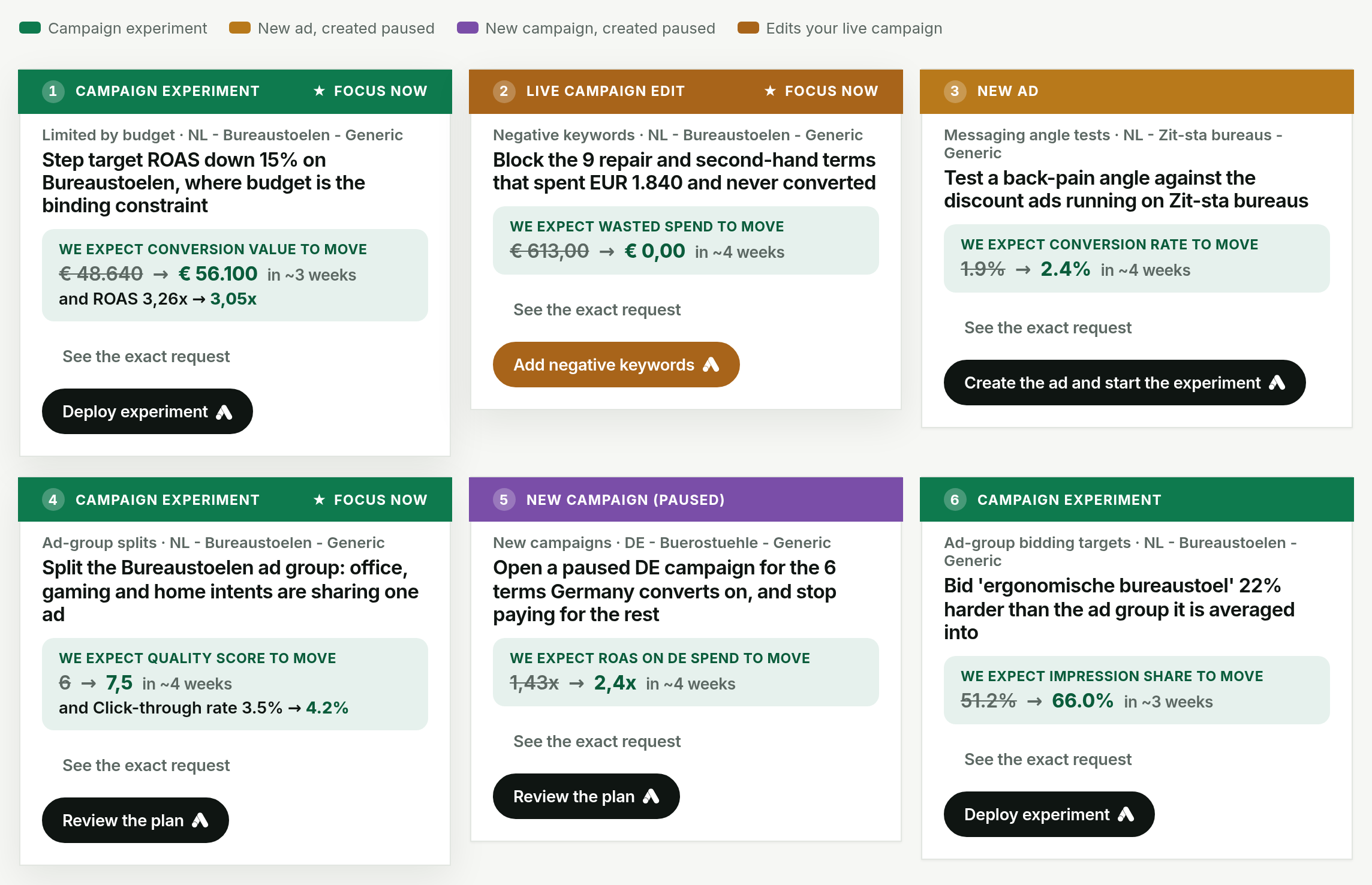
- Prefer changes that do not touch what is serving: a Google Ads experiment or a new paused ad over an edit to a live one. The reasoning is in running a Google Ads experiment.
- Scope OAuth access to the accounts the assistant needs. A manager-level token reaches every client account under it.
Questions worth asking once it is connected
Name the account and the date range, and ask for figures. Examples that work well:
- "Which campaign is wasting the most money this month? Give me the spend and conversions behind the answer."
- "List search terms from the last 30 days with more than EUR 200 spend and no conversions, grouped by theme."
- "We are about to raise the budget on Brand - Exact. Pressure-test that first: what is its impression share lost to budget, and to rank?"
- "Compare CPA by device and by location for the three largest campaigns, last 90 days against the 90 before."
- "Which ad groups have keywords with Quality Score below 5 that account for more than 10% of spend?"
Two habits improve the answers. Ask the assistant which data it used, so you can tell a grounded answer from an improvised one. And say that no change is an acceptable answer, which stops it padding a list of three ideas out of one. Using GoodLads from your own AI has five starting prompts with what the assistant does behind each.
Which route to choose
- Self-host Google's official server if you have an engineer, want the credentials on your own infrastructure, and are happy for the model to write GAQL for every question.
- Use a hosted endpoint if you want to be asking questions within minutes and are comfortable granting read access through OAuth.
- Use GoodLads' endpoint if you also want the playbooks behind the answers and a board that tracks what gets applied. It covers Google Ads only, and applying anything still happens in GoodLads with your click.
For the wider question of which Google Ads work to hand to an assistant at all, see Using AI to manage Google Ads, and for a straight comparison with pasting exports into a chat, GoodLads vs ChatGPT.
Questions people ask
Is there a Google Ads MCP server?
Yes. Google's Google Ads API team released an official open-source MCP server in October 2025 (googleads/google-ads-mcp on GitHub). It is read-only and you host it yourself with a developer token and OAuth credentials. Hosted endpoints such as GoodLads' offer read access without the setup.
Can I connect ChatGPT to Google Ads?
Yes, through an MCP server added as a developer-mode connector in ChatGPT. The assistant can then query campaigns, keywords and search terms from inside the chat.
Can Claude make changes to my Google Ads account through MCP?
Only if the MCP server exposes tools that write to the account. A read-only server, such as the GoodLads endpoint, cannot change a campaign, ad, budget or keyword whatever the assistant is asked.
Do I need a Google Ads developer token to use MCP?
You need one to run your own server, including Google's official one, and it needs at least Explorer access to read live accounts. A hosted endpoint uses the host's token, so you only approve access through OAuth.
Can Google's official Google Ads MCP server make changes?
No. The official server is read-only: its tools run GAQL reports, list the accounts you can access and describe API fields. Changes go through the Google Ads interface, Editor, the API or another tool.